
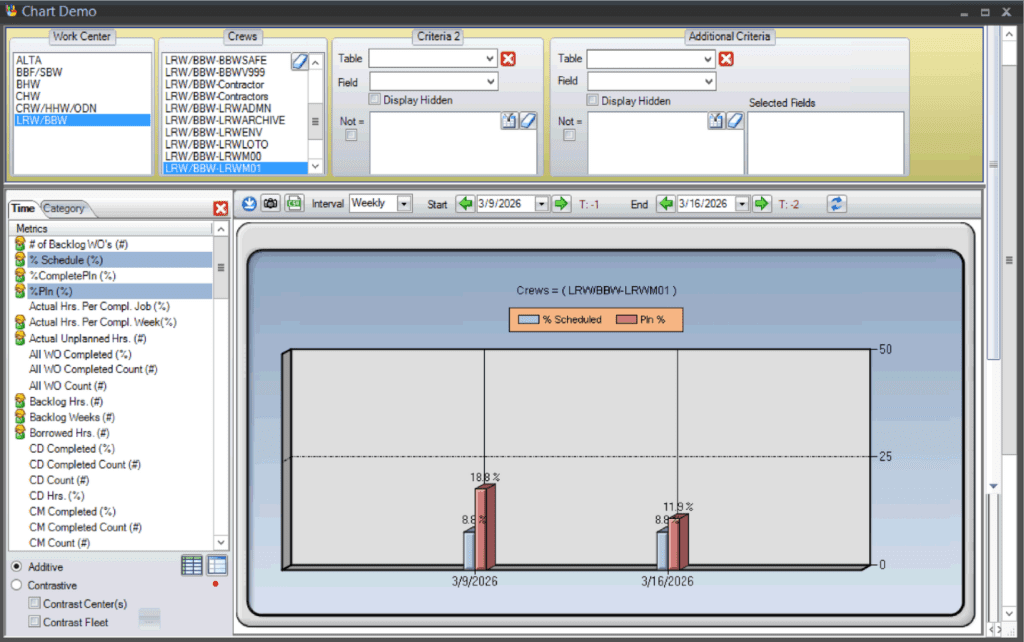
The Reports screen is where scheduling and planning data from PaSTA can be turned into clear, shareable outputs. Reports can be generated in multiple formats, including charts, tables, tabs, daily schedules, notes, weekly snapshots, and composites. Each format presents the same underlying data in different ways to support analysis.
Creating and Customizing Reports
Reports can be opened from existing templates or created from scratch. Once opened, users define parameters such as work centers, crews, and filtering criteria to control what data is included.
Layouts can be adjusted to meet specific needs, and reports can be saved for future use. Reports can also be exported to formats such as PDF or Excel, or distributed automatically through scheduled email delivery.