Tab Reports let you create custom reports from Work Week Assignment data using selected sections and columns.
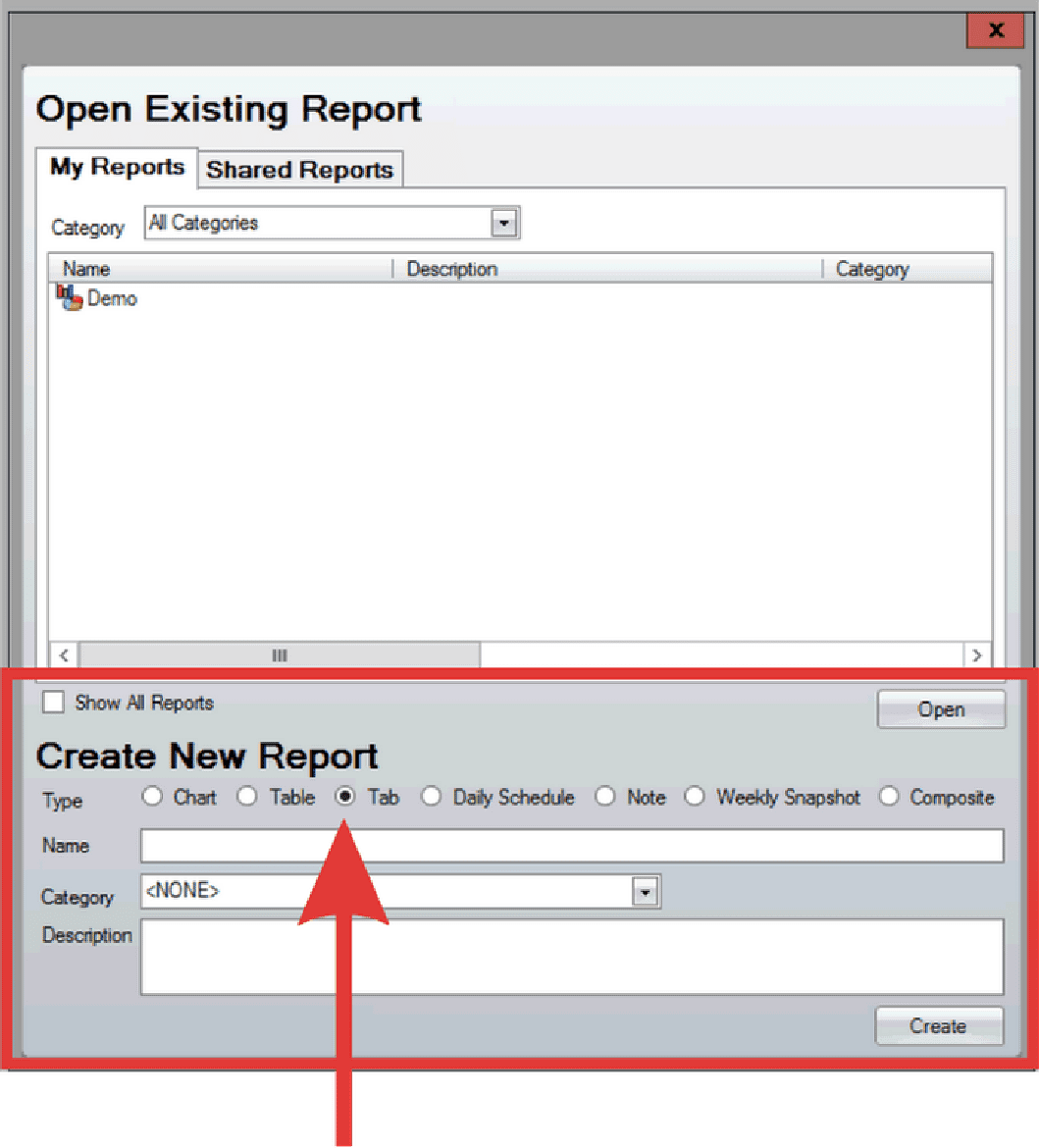
- Open the reports screen.
- Under Create New Report set the report Type as Tab.
- Alternatively, if the Reports screen is already open, click File > New > Tab.
- Input the Tab Name and select Create.
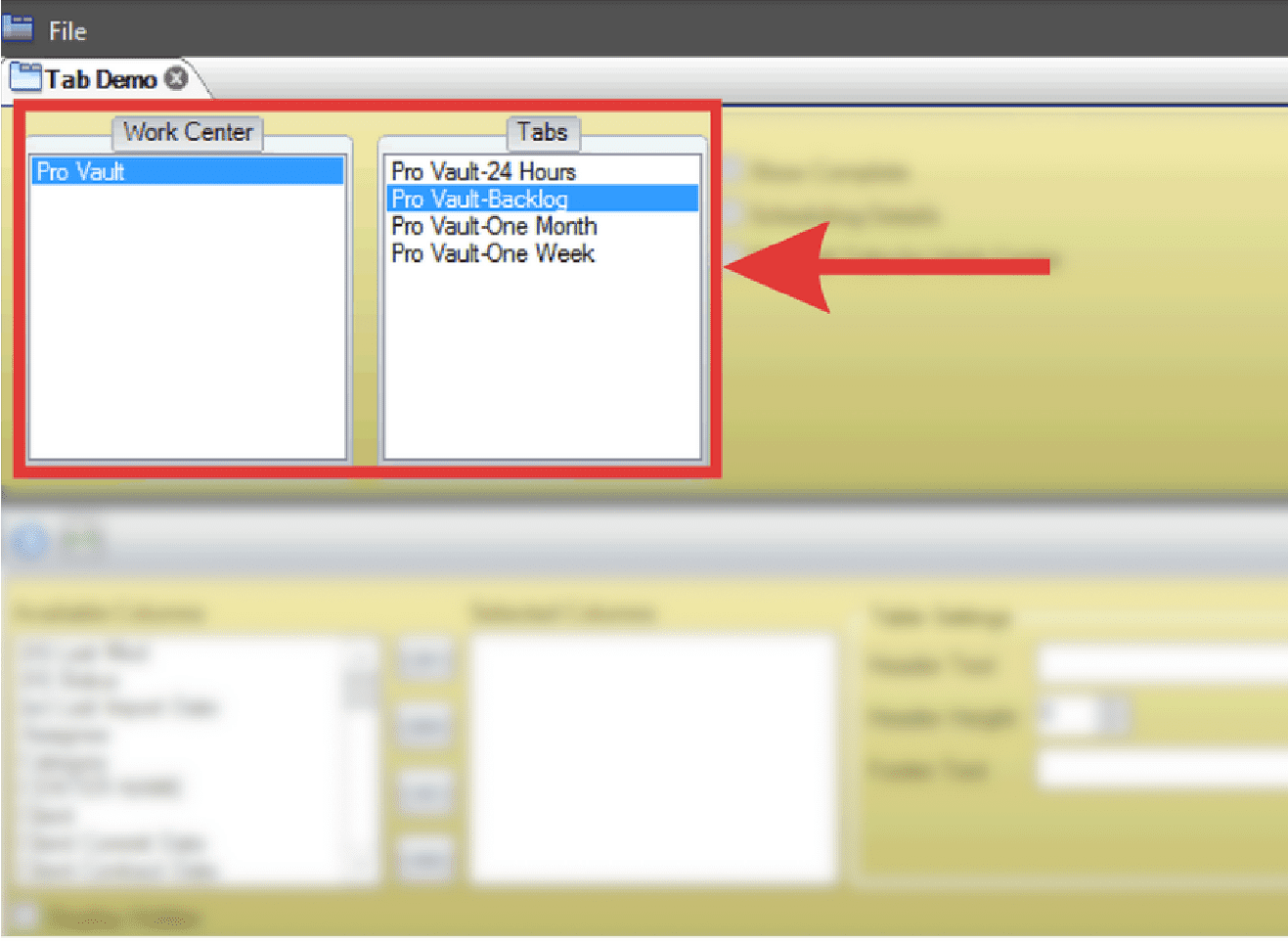
- Select the applicable Work Center and Tab from the WWA.
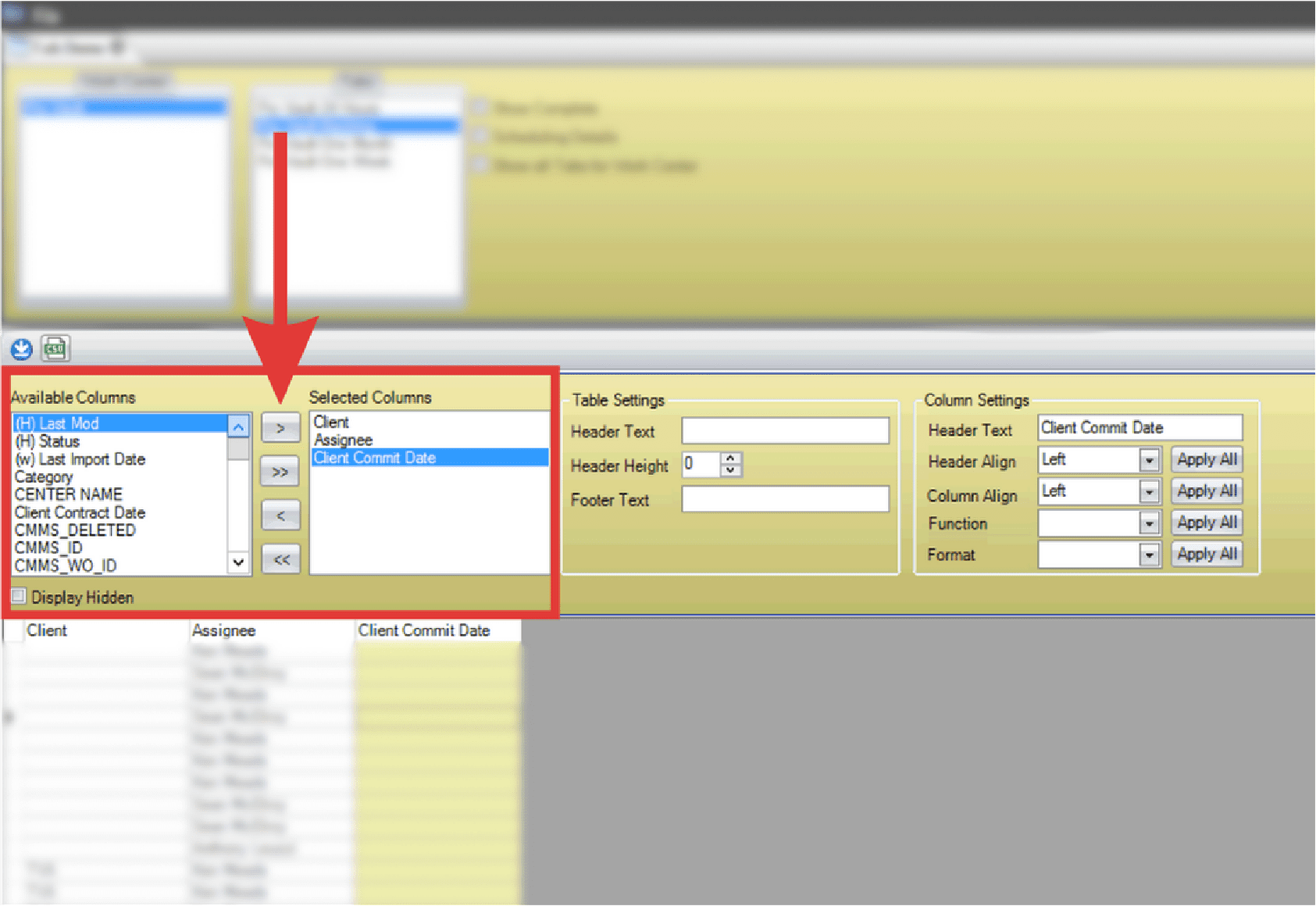
- Select applicable columns from the Available Columns list and use the arrow button to move them into Selected Columns.

- Select the double arrows to move all Available Columns into Selected Columns.
- Modify the Table and Column settings as needed. Click and drag columns to rearrange as needed.
- Select File > Save when finished.