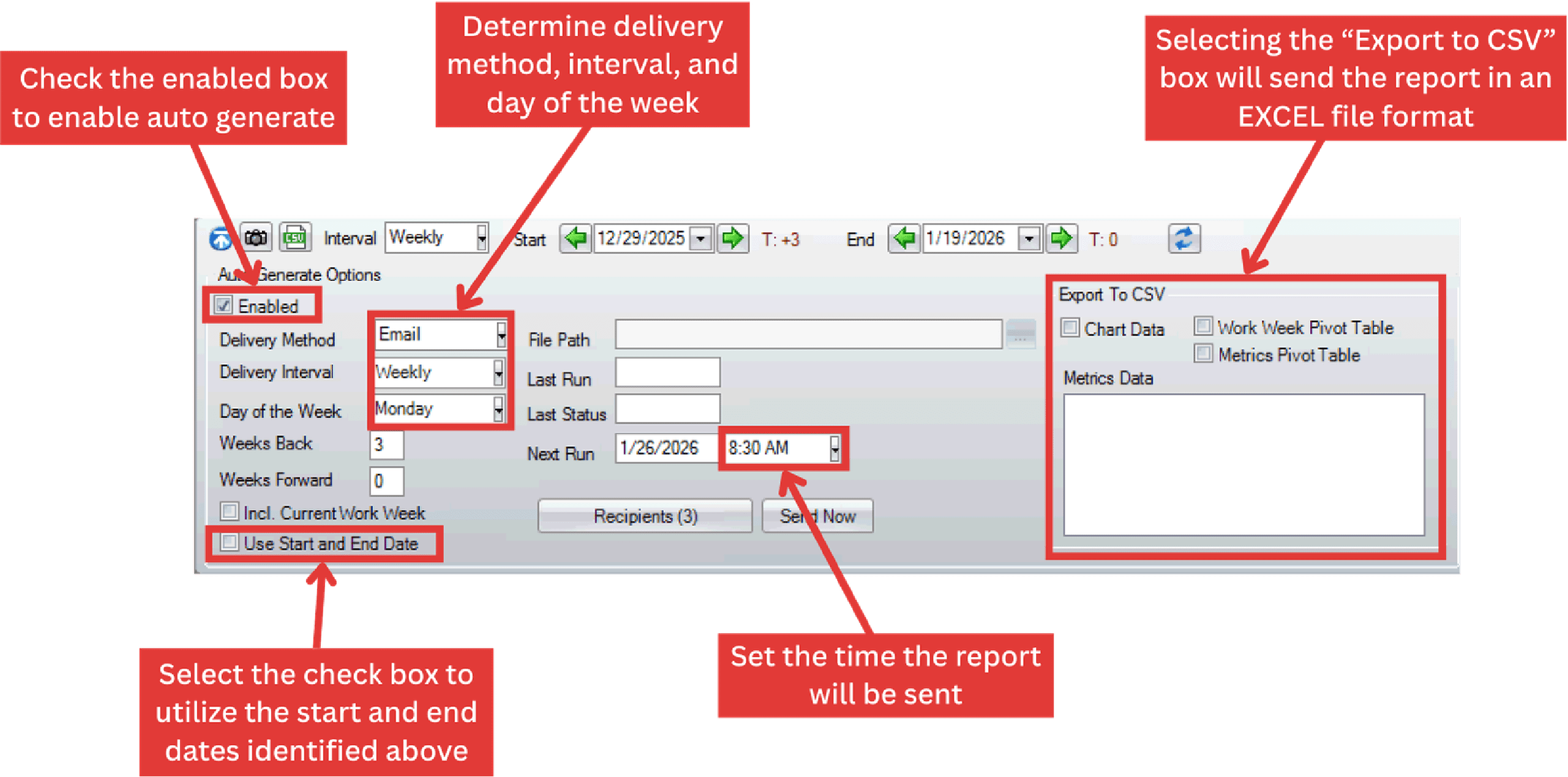
PaSTA allows reports to be automatically generated and delivered on a recurring schedule. Reports can be emailed to selected recipients and exported as CSV files for use in Excel.
- To configure email settings for a report, click the Autogenerate Options button.
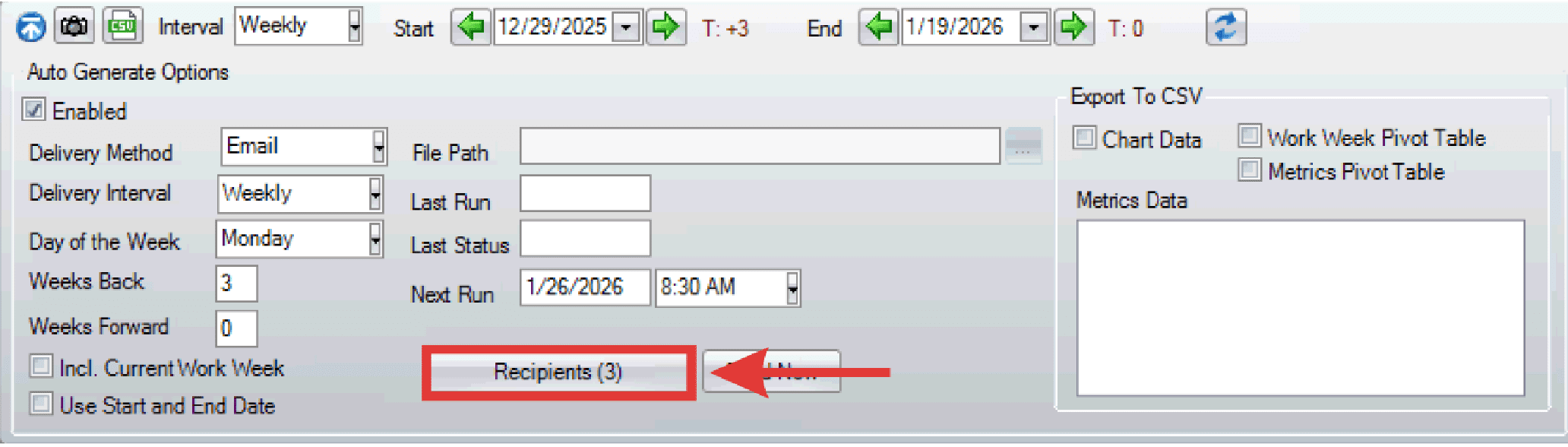
- The Auto Generate Options dialogue box appears.
- Click Recipients to open the recipient list.
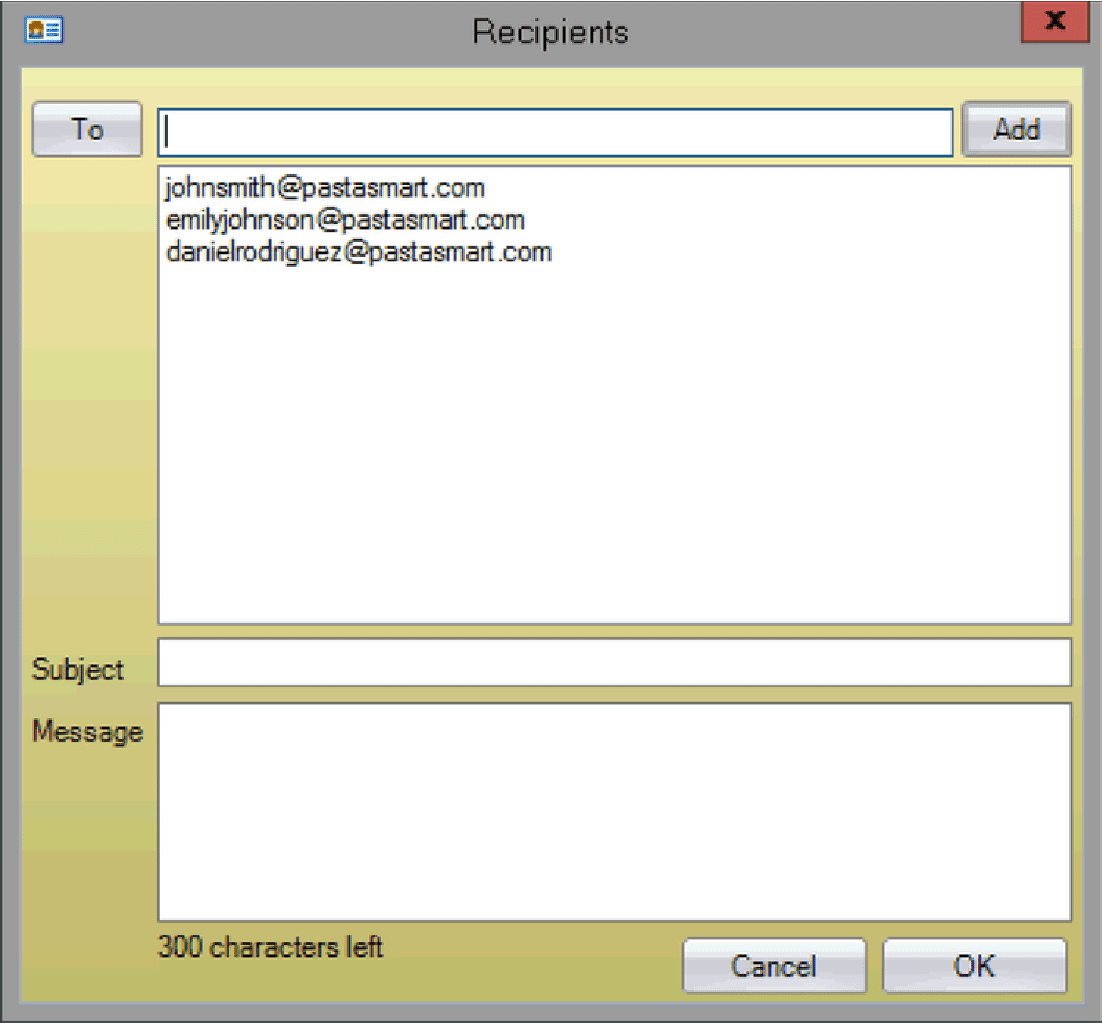
- The Recipients dialogue box appears.

- Assign email addresses by selecting the To button and select from the address book within PaSTA OR
- Type the email address directly into the field and select the Add button.
- To delete emails from the recipient list, right click the email and select delete.
- Enter the email subject and message.
- Click OK when finished.
- Click Send Now to immediately send the email. If you are scheduling the email to send automatically no further action is needed.