
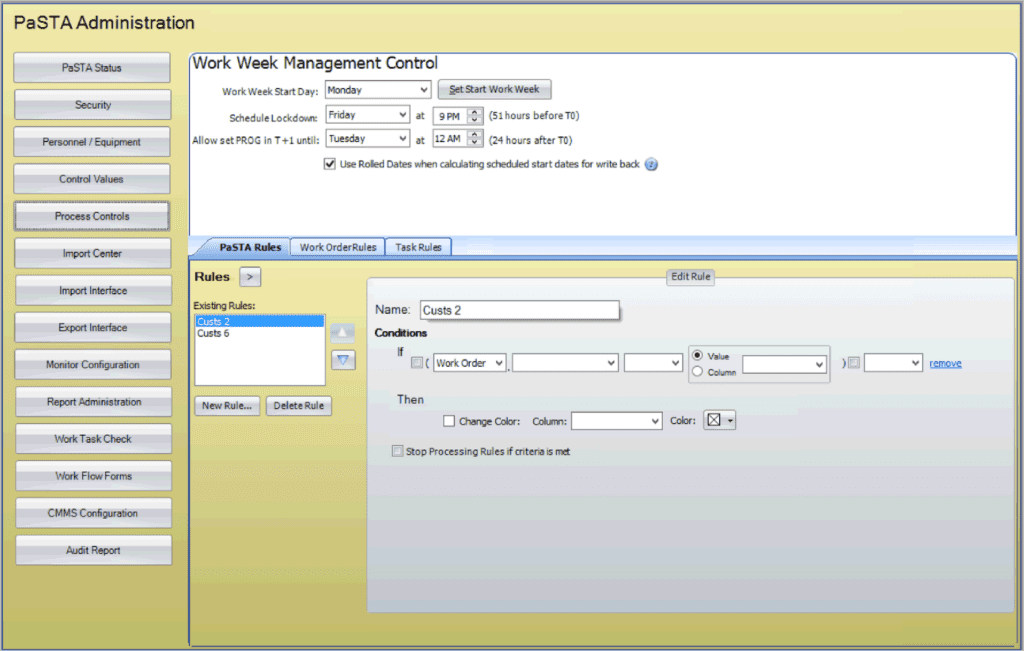
The Administration (Admin) screen provides PaSTA administrators with tools to configure and manage system settings, resources, and operational controls. It serves as the central hub for defining users, crews, equipment, security roles, and process rules that support day-to-day scheduling and planning activities within PaSTA.
While the Admin screen manages data inside PaSTA, the Web Utility Interface manages the connection between PaSTA and external systems such as Maximo or SAP (CMMS). Together, they ensure that both internal configurations and external integrations remain synchronized and functioning properly.
- Admin: Controls PaSTA’s internal data, users, process rules, and other configuration settings.
- Web Utility Interface: Monitors and manages the data exchange, imports, exports, and system health between PaSTA and Maximo.
What You Can Do In Admin
- Manage users and security: Manage user accounts, security roles, and login permissions.
- Maintain resources: Define and maintain crews, personnel, crafts, shift patterns, and equipment.
- Define process controls: Configure system values such as work order types, status roles, rollover and emergent codes, email settings, and scheduling defaults.