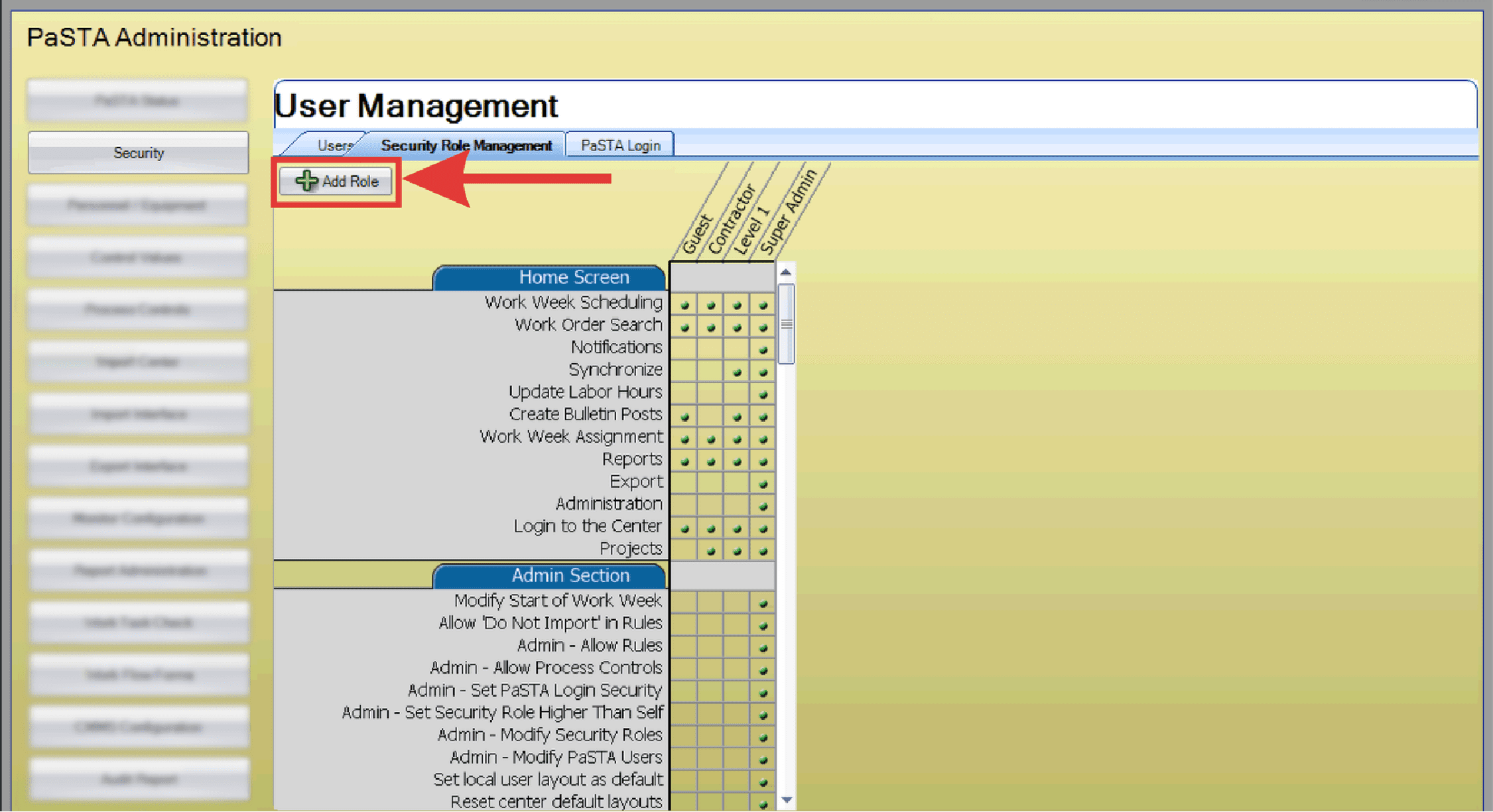
Security roles control what actions users can perform in PaSTA and what areas of the system they can access. Administrators can build new roles, assign them to users, or edit existing ones.
- Open the Administration screen.
- Open the Security panel.
- Click the Security Roll Management tab and click Add Role.
- The Add Security Roll dialog box appears. Enter the name and description. Click OK to continue.
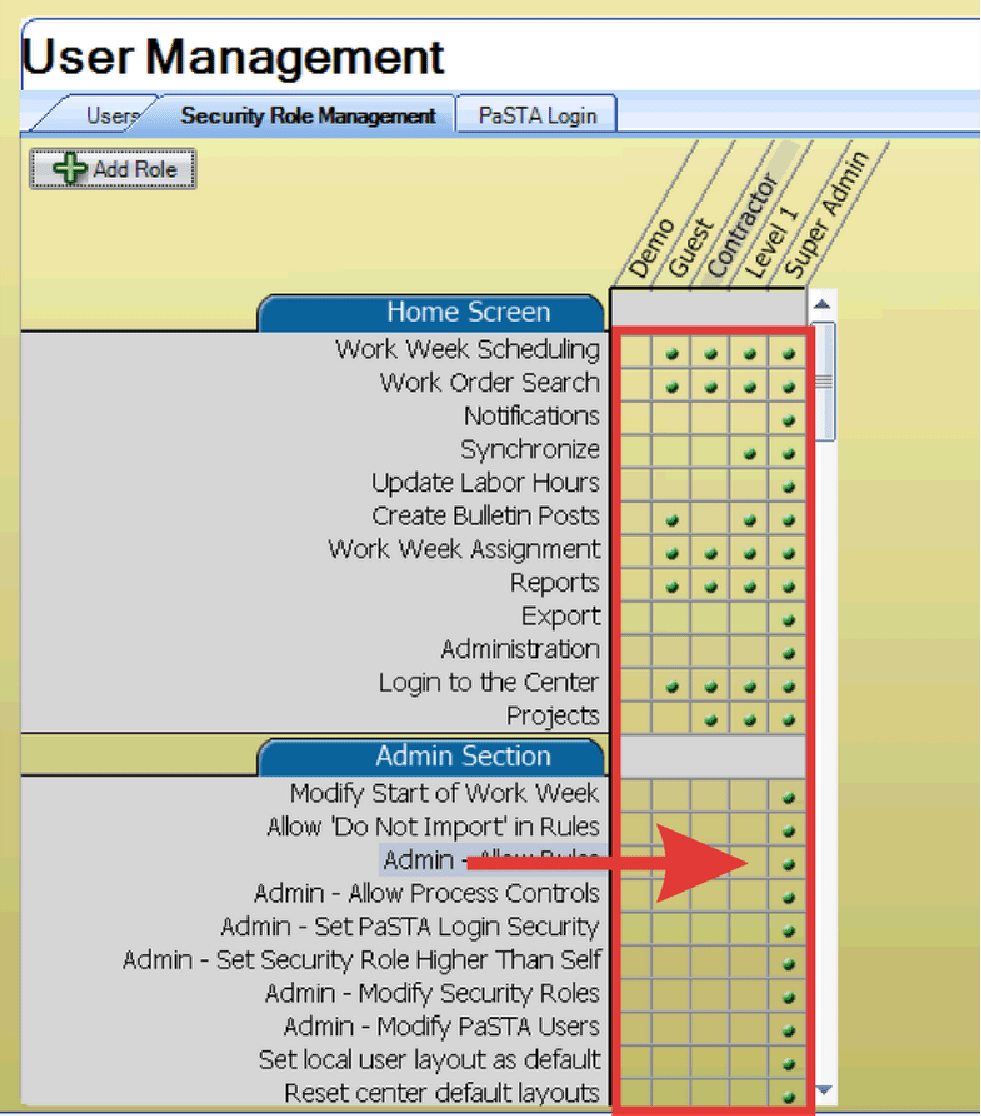
- Security roles appear on the horizontal axis from most restrictive to least restrictive (left to right). Drag and drop the new role to its appropriate location.
- Security rights appear in the grid. Enable security rights for the new role by clicking the cell in the new role column for each security right. Existing roles can also be modified in this way.