Note: These instructions are intended for scenarios where a Crew or Personnel is not automatically created in PaSTA through an integration and must be added manually.
- Open the Administration screen.
- Open the Personnel/Equipment Panel.
- Click the Crew & Personnel tab.
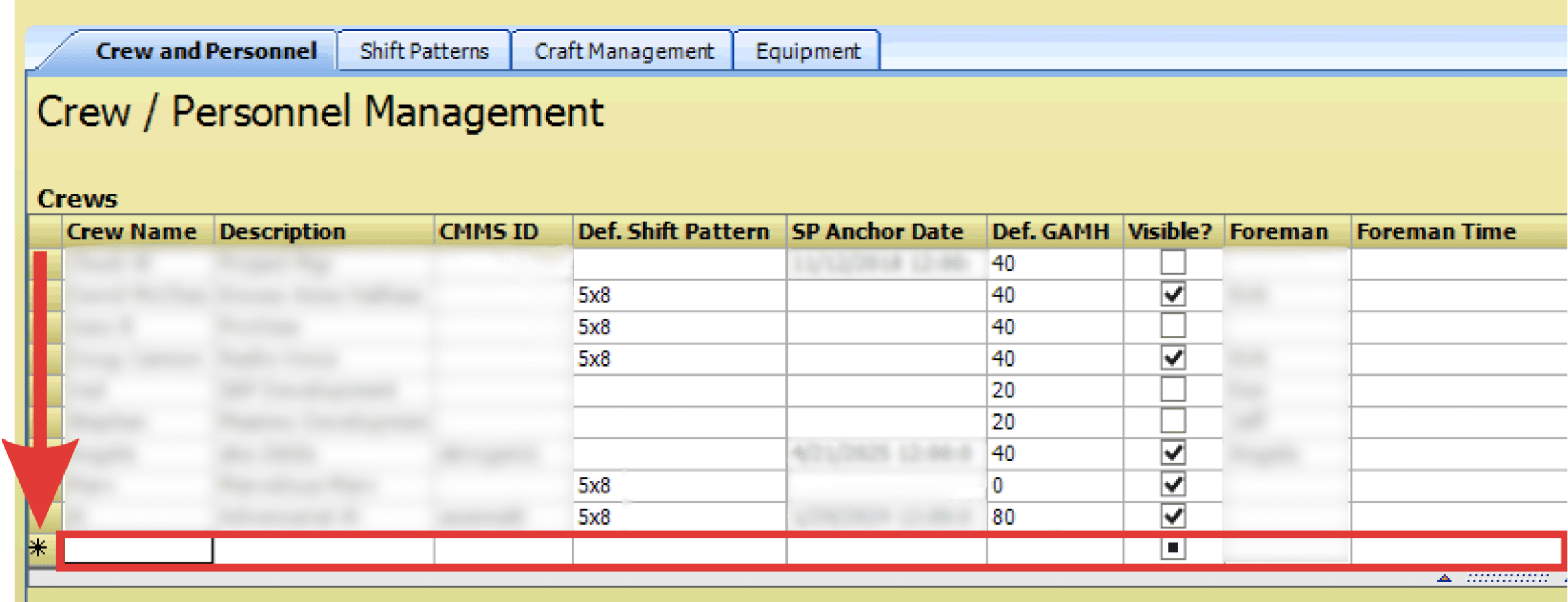
- Navigate to the asterisk at the bottom of the crew grid and fill in the necessary fields to add a new crew.
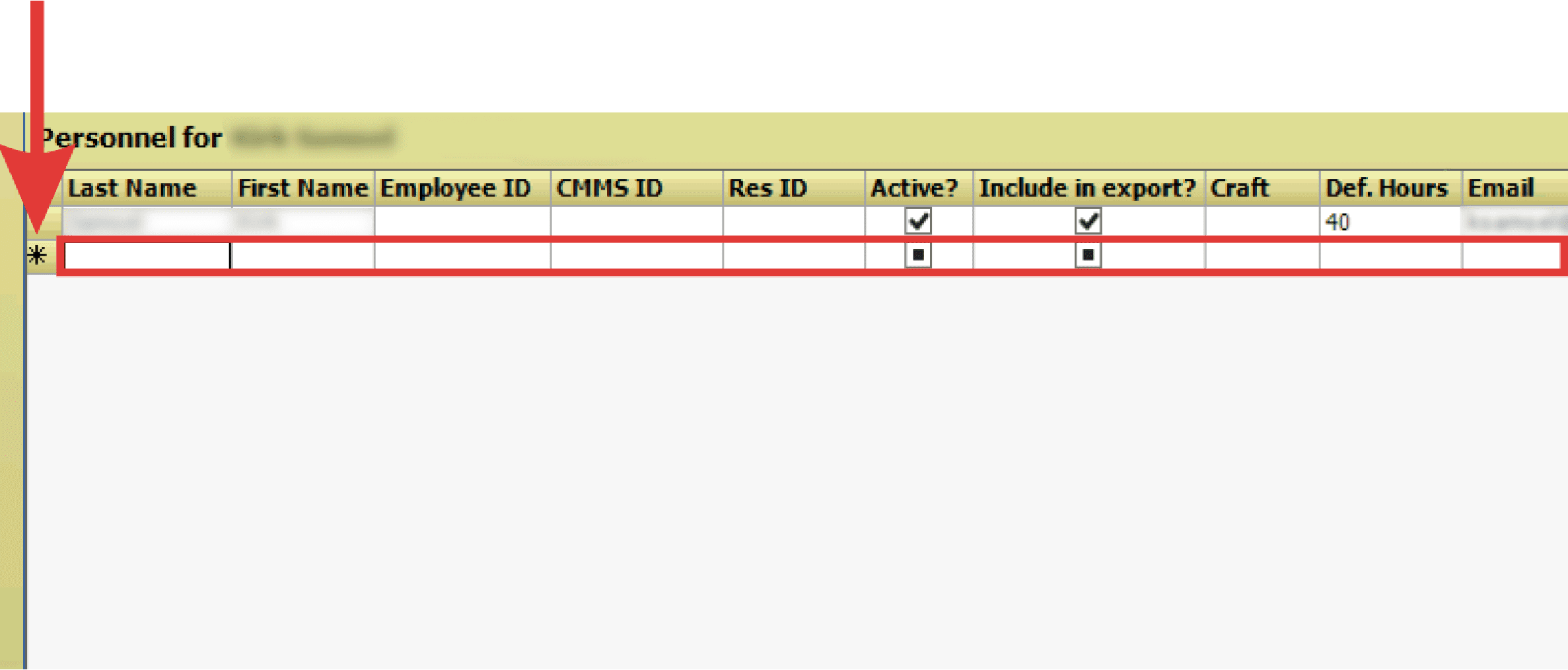
- Navigate to the asterisk at the bottom of the personnel grid and fill in the necessary fields to add a new personnel.