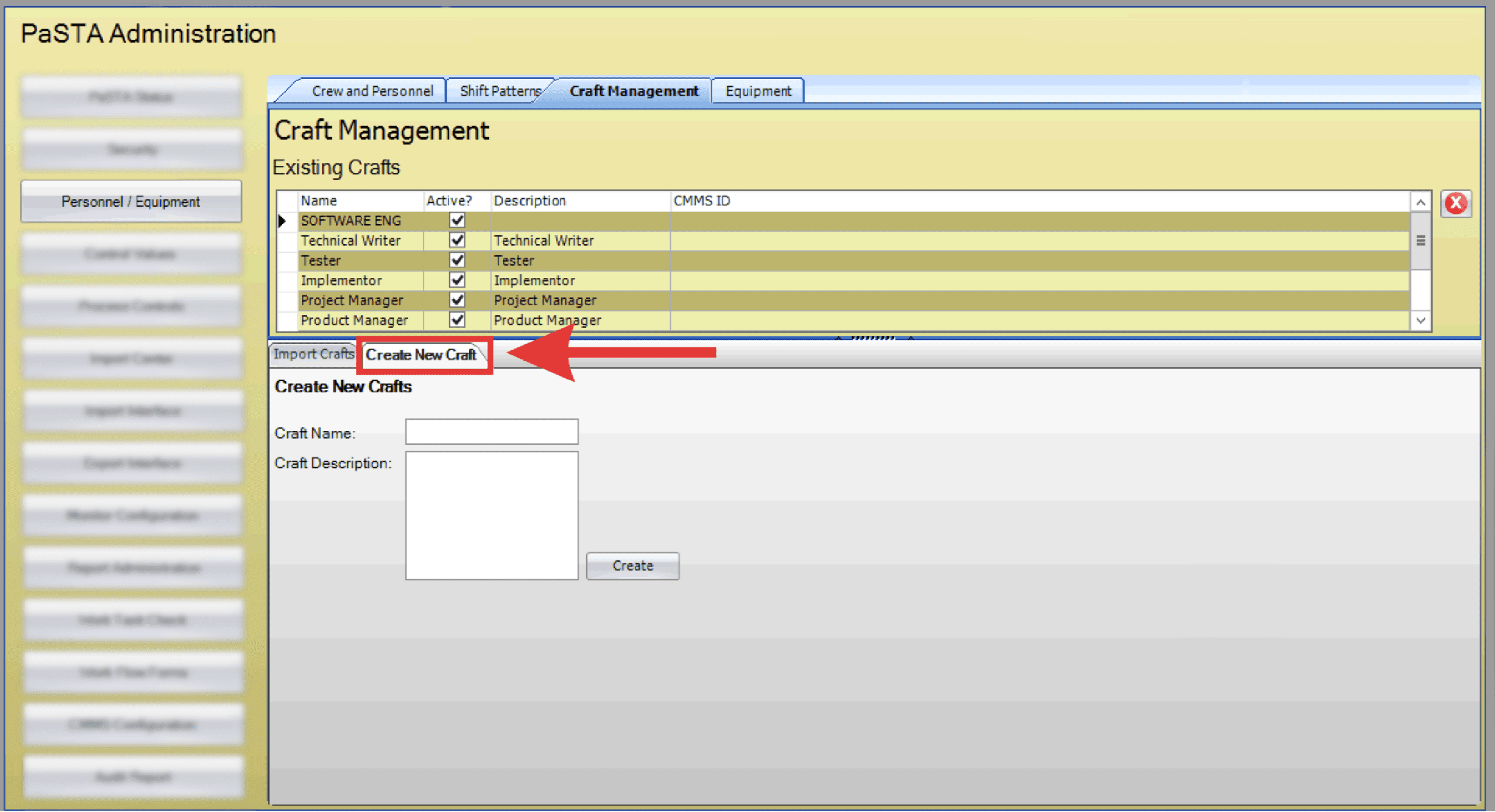
Note: These instructions are intended for scenarios where a craft is not automatically created in PaSTA through an integration and must be added manually.
- Open the Administration screen.
- Open the Personnel/Equipment panel.
- Click the Craft Management tab.
- If PaSTA interfaces crafts from your CMMS, click the Import Crafts tab.
- Click Refresh to update the list from the CMMS.
- Click Import to sync crafts into PaSTA.
- If crafts are maintained manually inside PaSTA, click the Create New Craft tab.
- Enter the Craft Name and Description, then click Create to add the new craft.
- To delete a craft, select the desired row and click the X button.