In some cases, supervisors or planners may need to submit time entries on behalf of other personnel. Enable this permission to allow users to view and select additional personnel in the Time Entry and Submit Time WWS dialog boxes.
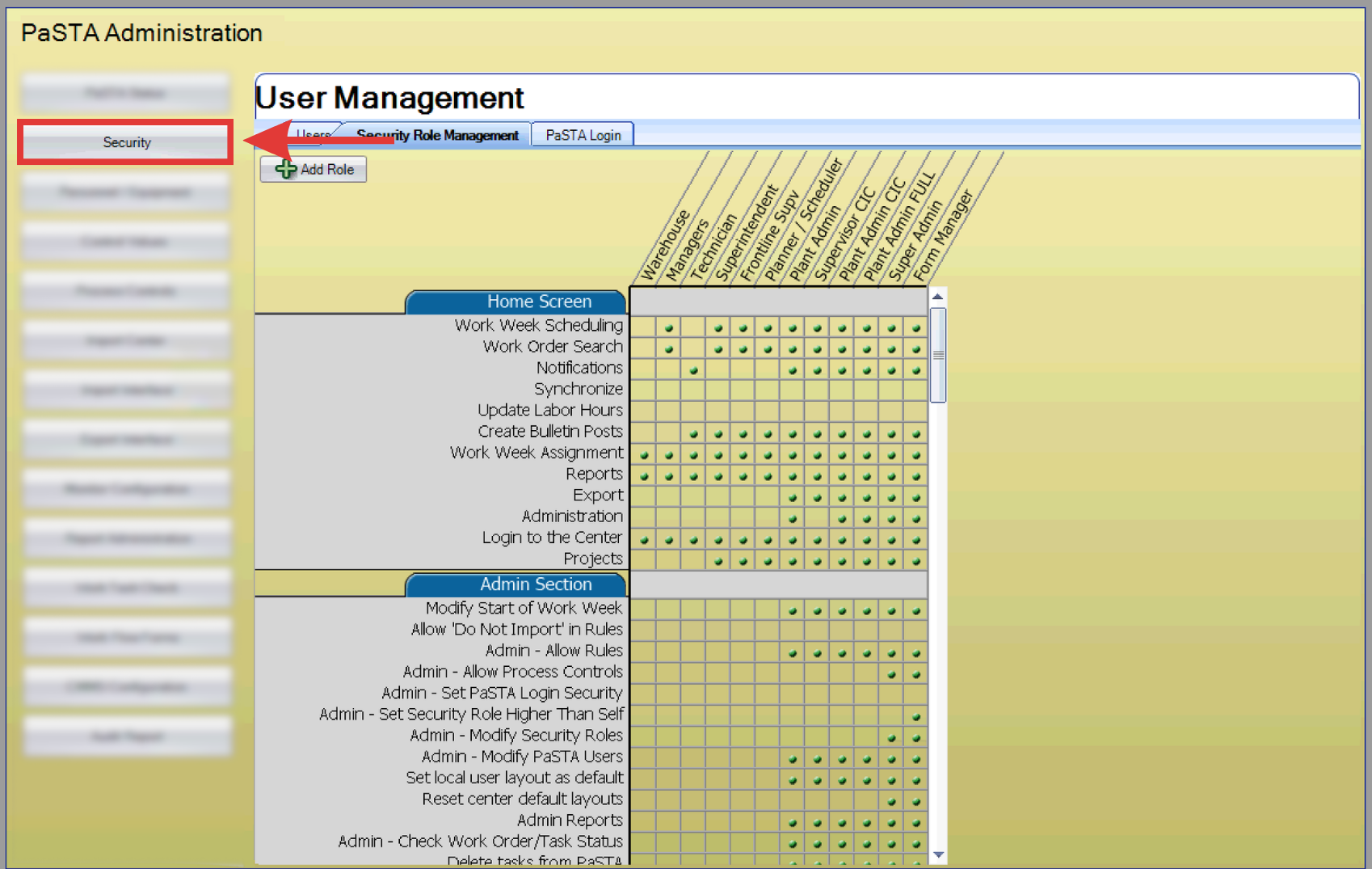
- Open the Administration screen.
- Select the Security tab.
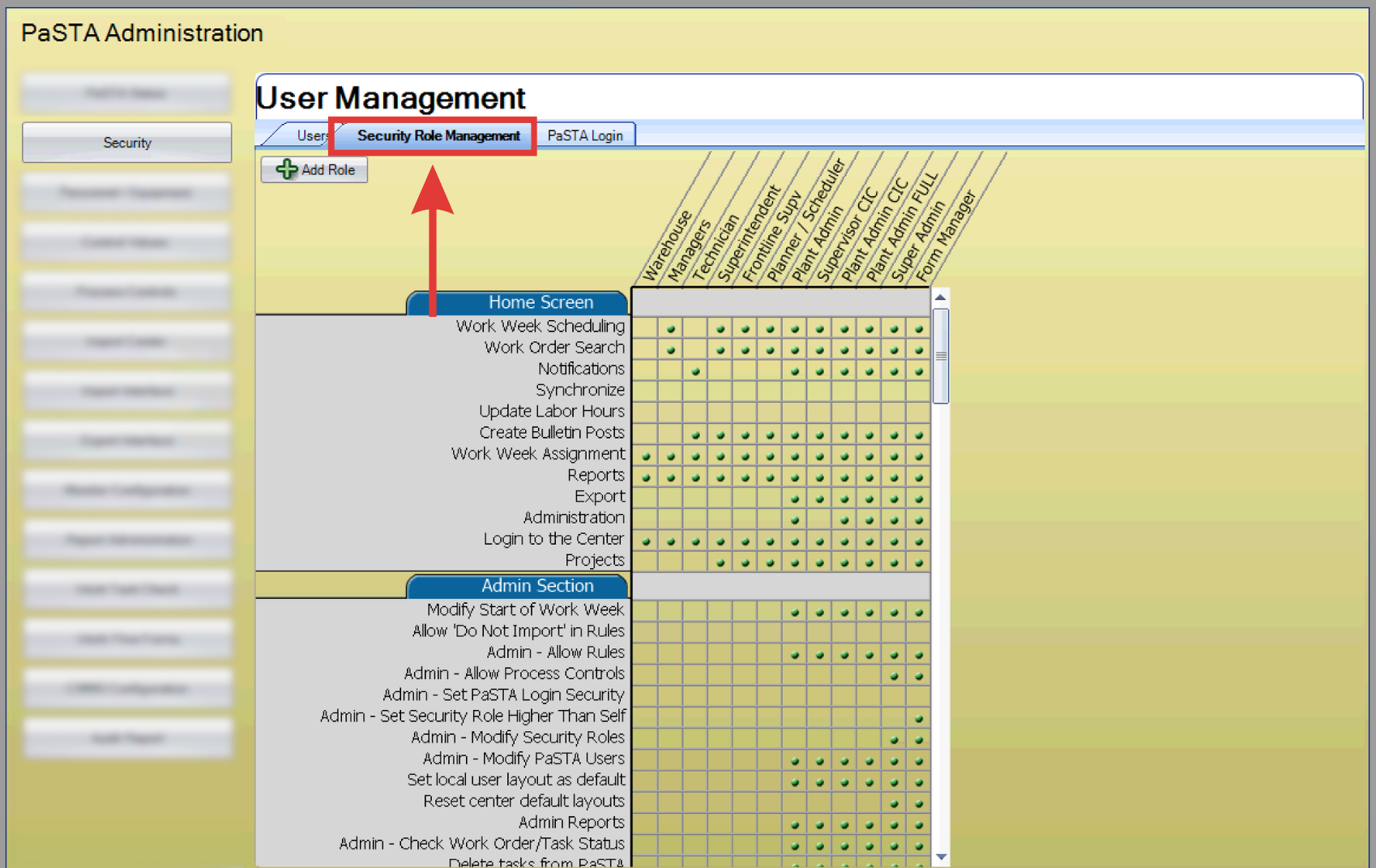
- Click the Security Roll Management tab.
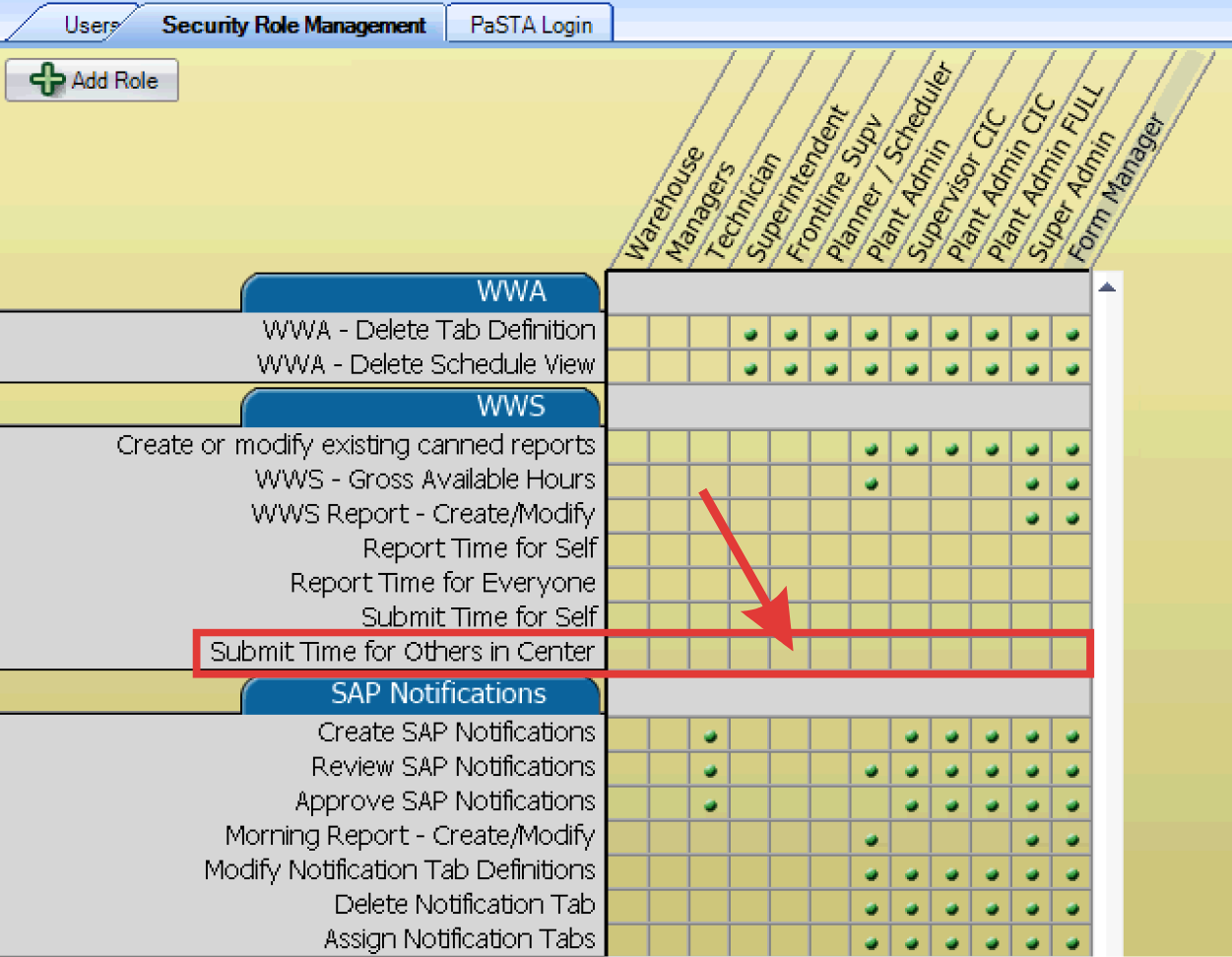
- Scroll down to the WWS header.
- Click the checkbox in the corresponding role column for Submit Time for Others in Center.

- The selected role can now view and select additional names in the Time Entry and Submit Time dialog box.
- For more information on how submit time entries, click here.