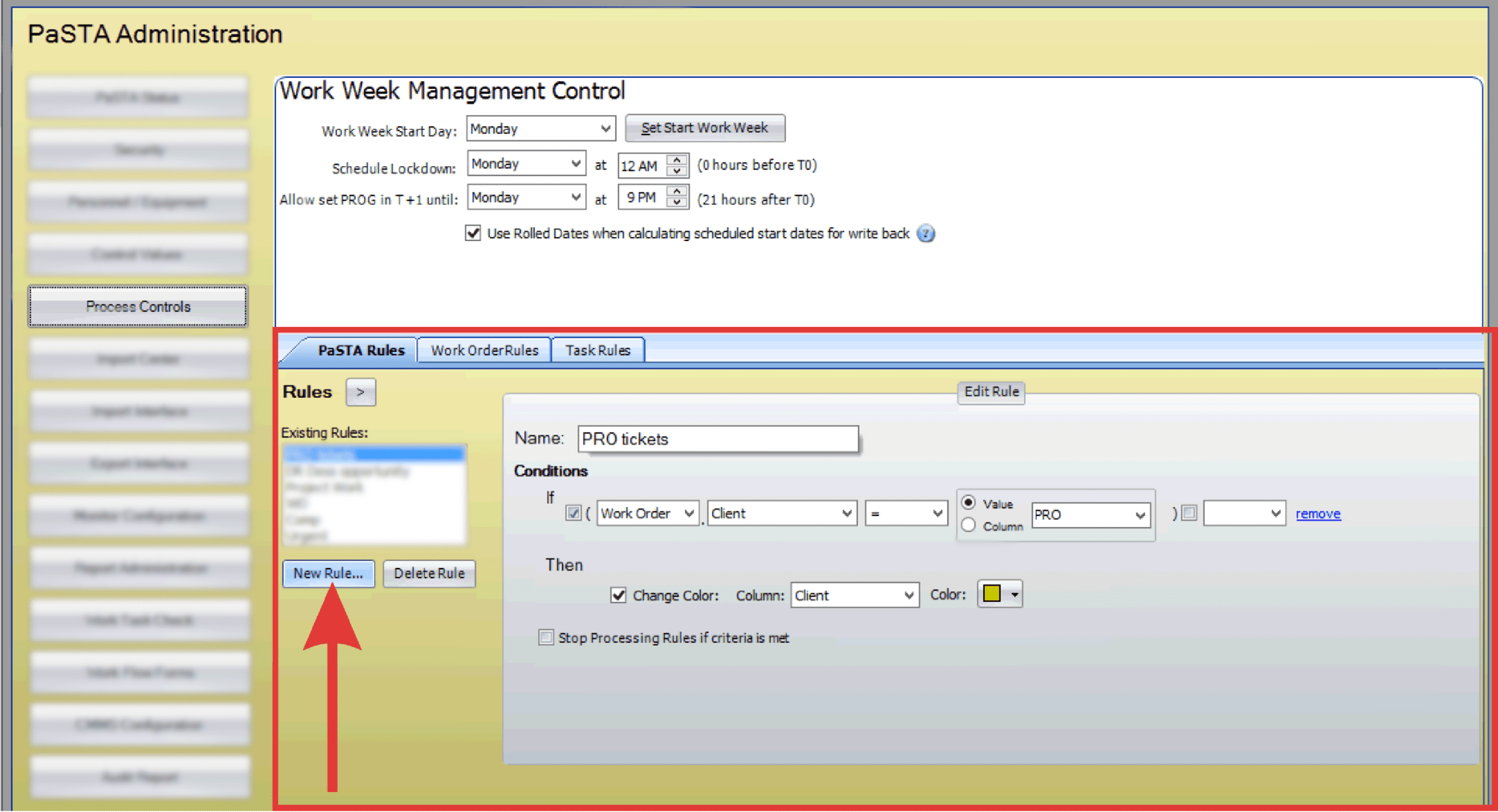
PaSTA Rules create custom rules that enhance how data is displayed or flagged when a grid is refreshed. Administrators can apply formatting, such as coloring cells, to quickly highlight conditions that need attention.
- Open the Administration screen.
- Open the Process Controls panel.
- Click the PaSTA Rules tab.
- Click the New Rule button and enter a name for the rule.
- Enter “If” conditions that determine which records to apply color coding to. These can be value-driven or based on column comparisons.
- Select the column to be color-coded and choose the color.