Shift patterns in PaSTA define the standard work schedules that crews and personnel follow. Administrators can create new patterns from scratch or base them on existing ones, then assign start times, end times, and durations to match operational needs.
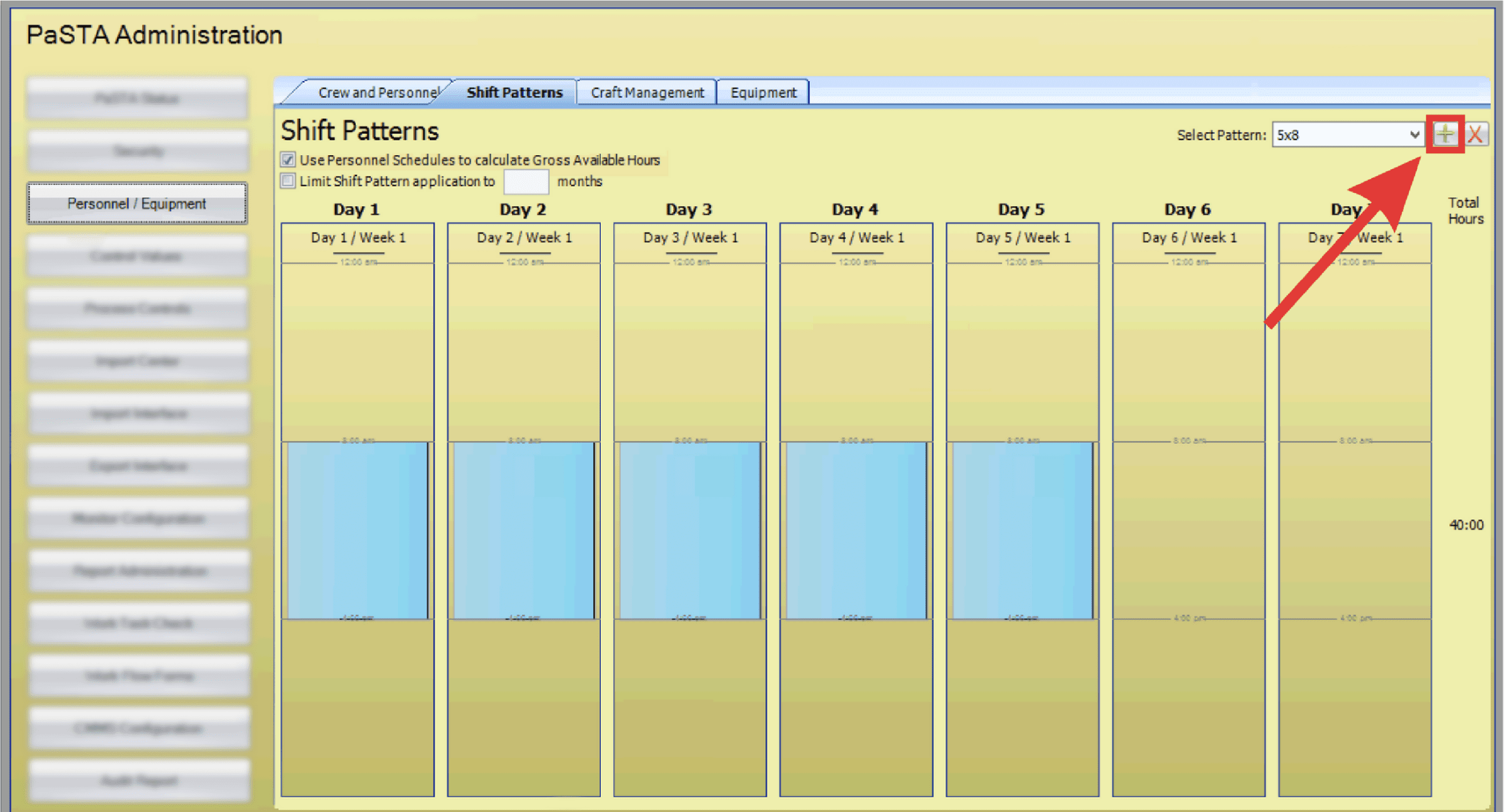
- Open the Administration screen.
- Open the Personnel/Equipment panel.
- Click the Shift Patterns tab.
- Click the green plus icon to create a new shift pattern.
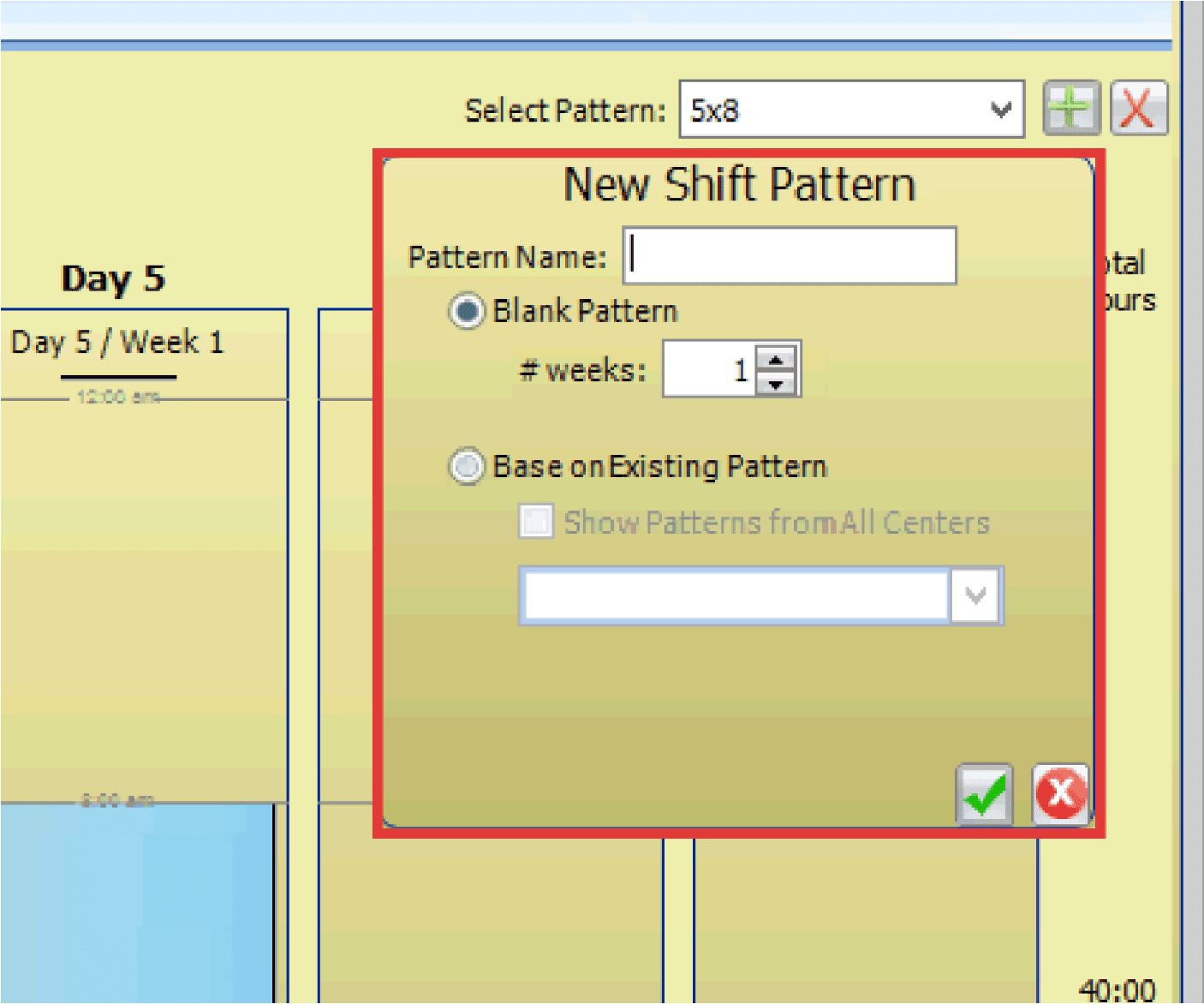
- The New Shift Pattern dialog box displays. Enter the Pattern Name.

- Use the radio buttons to create a blank pattern and indicate the number of weeks the pattern spans or base the pattern on an existing pattern.
- Click the green checkmark icon to save the new shift pattern.
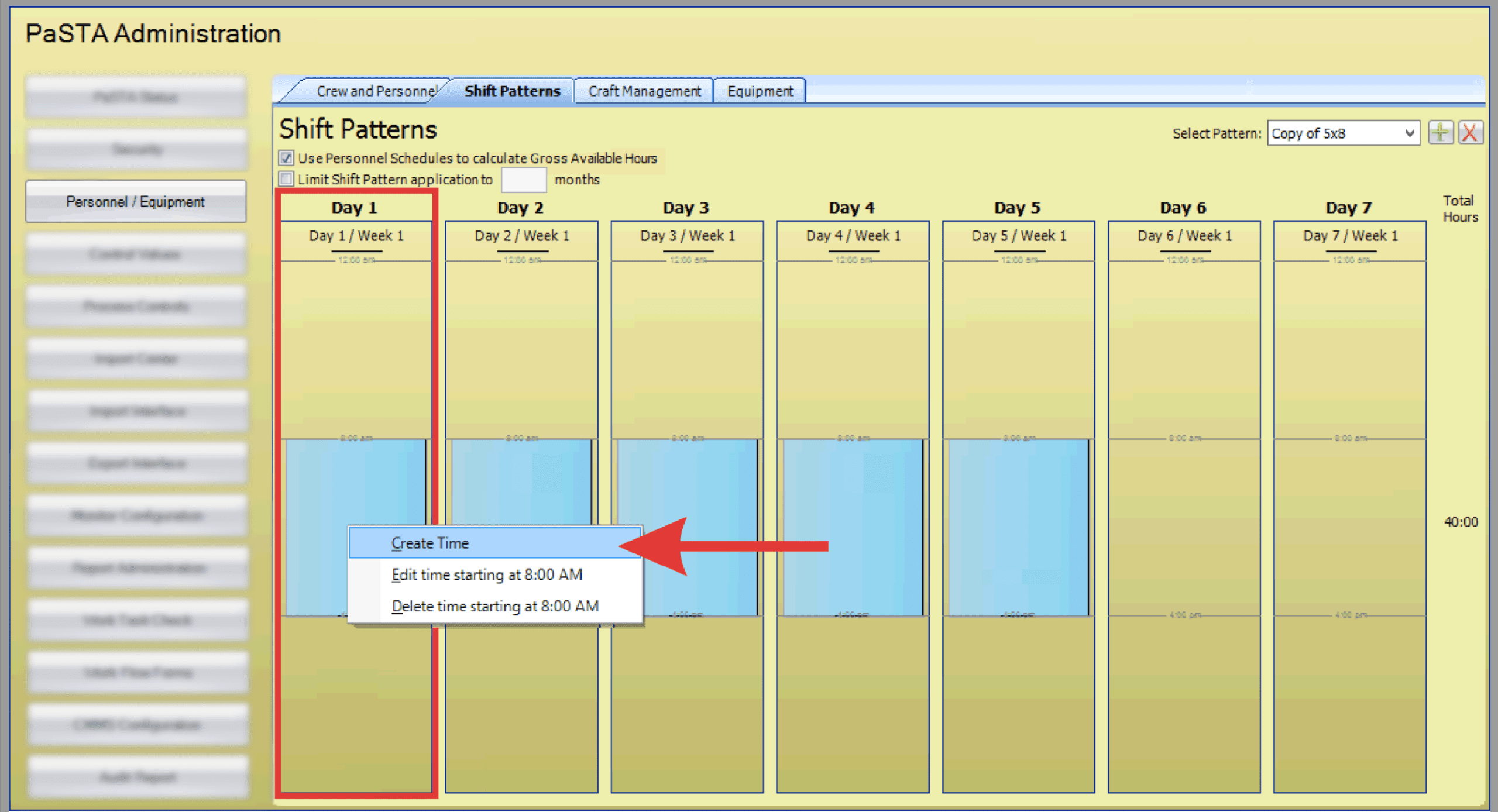
- Right-click on the day the shift pattern starts and select Create Time from the menu.
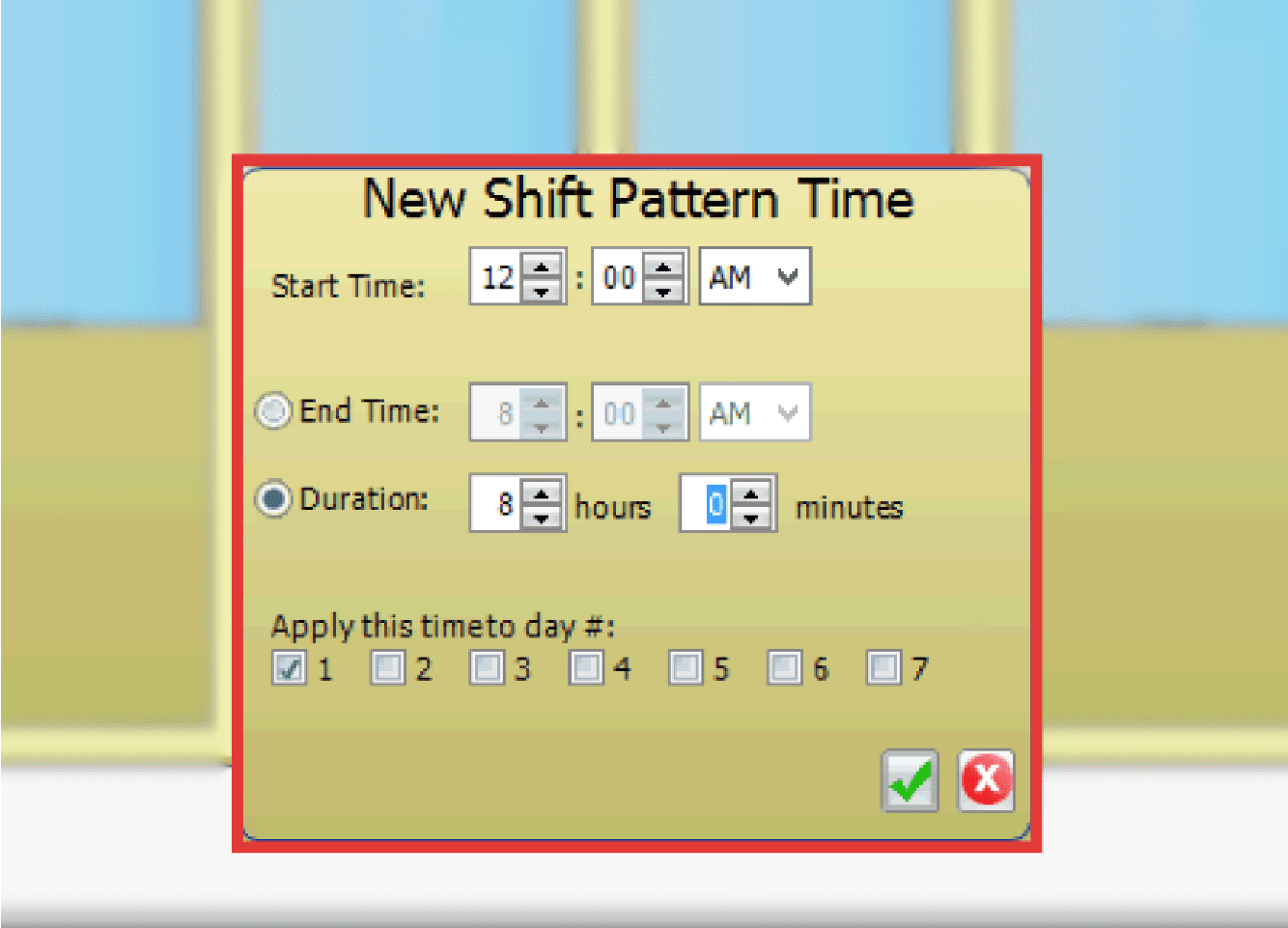
- The New Shift Pattern Time dialog box displays. Enter the Start Time and the End Time or Duration. Select the days the time applies to using the checkboxes.
- Click the green checkmark icon to save the shift pattern time.