
Progressing jobs in T0 allows schedulers to update the status of each job scheduled for the current execution week.
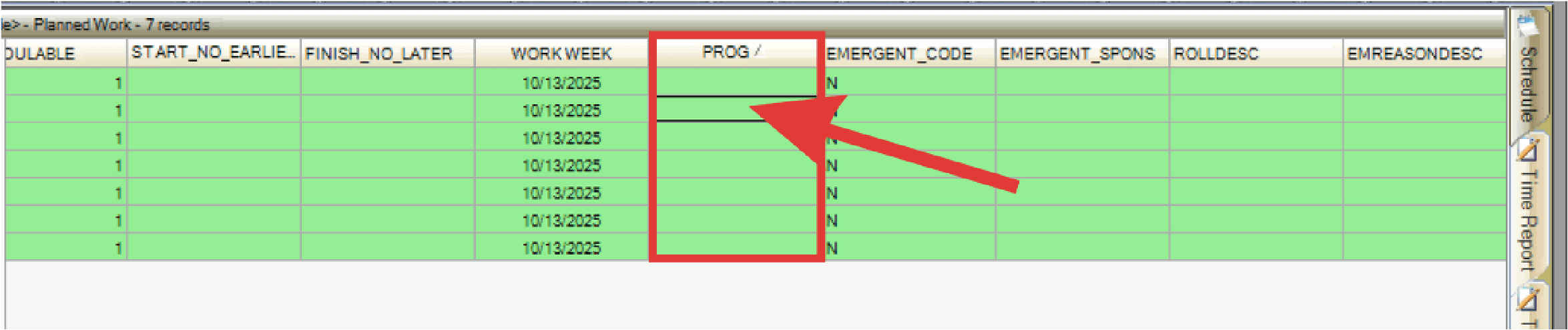
- Double-click (or use the drop-down menu, if applicable) in the PROG column for each job.
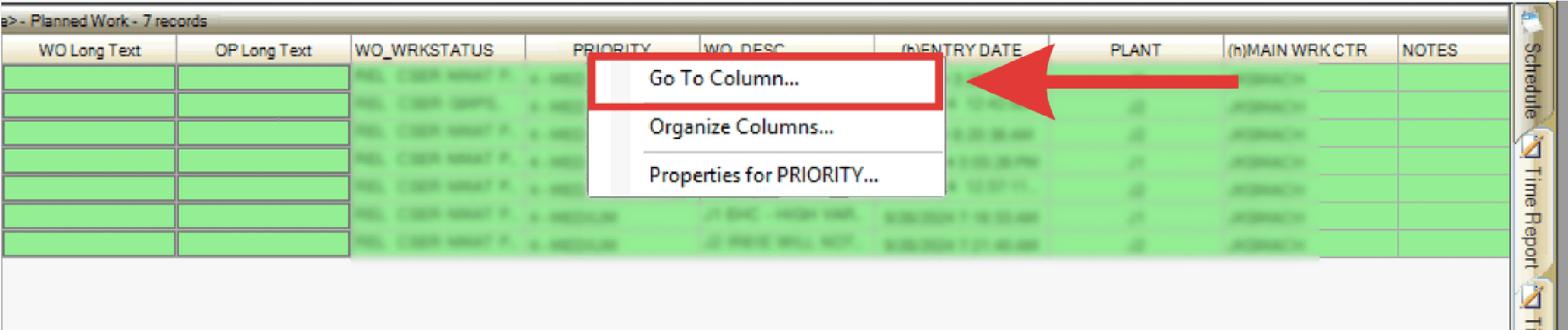
- Alternatively, to find the PROG column,right-click any column, select Go To Column, and search PROG.
- Enter or select the PROG code:
- C: All work scheduled for the week is complete. This does not necessarily mean that the job is complete or that the work order is closed in the CMMS, it just indicates that the amount of work that was scheduled was completed.
- OS: All work scheduled for this job for this week is completed as scheduled, but additional work is required resulting in the Work Order being scheduled into another Work Week.
- R: The job that was not worked or completed as scheduled and had to be rolled (moved) to another Work Week.
Note: ‘OS’ & ‘C’ codes are counted the same in PaSTA for metrics calculations.
Note: There may be additional codes your company uses (i.e. CX for canceled).