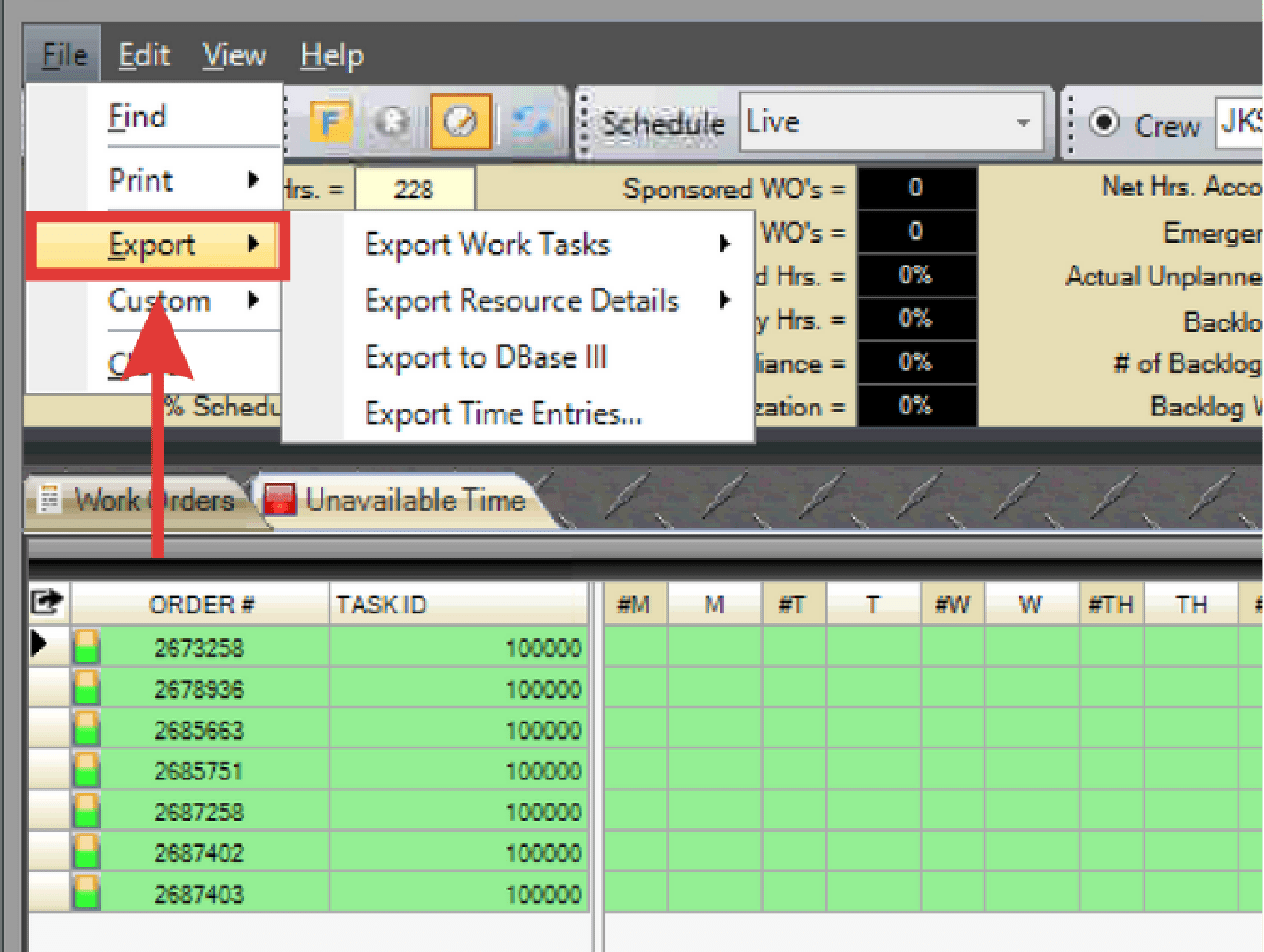
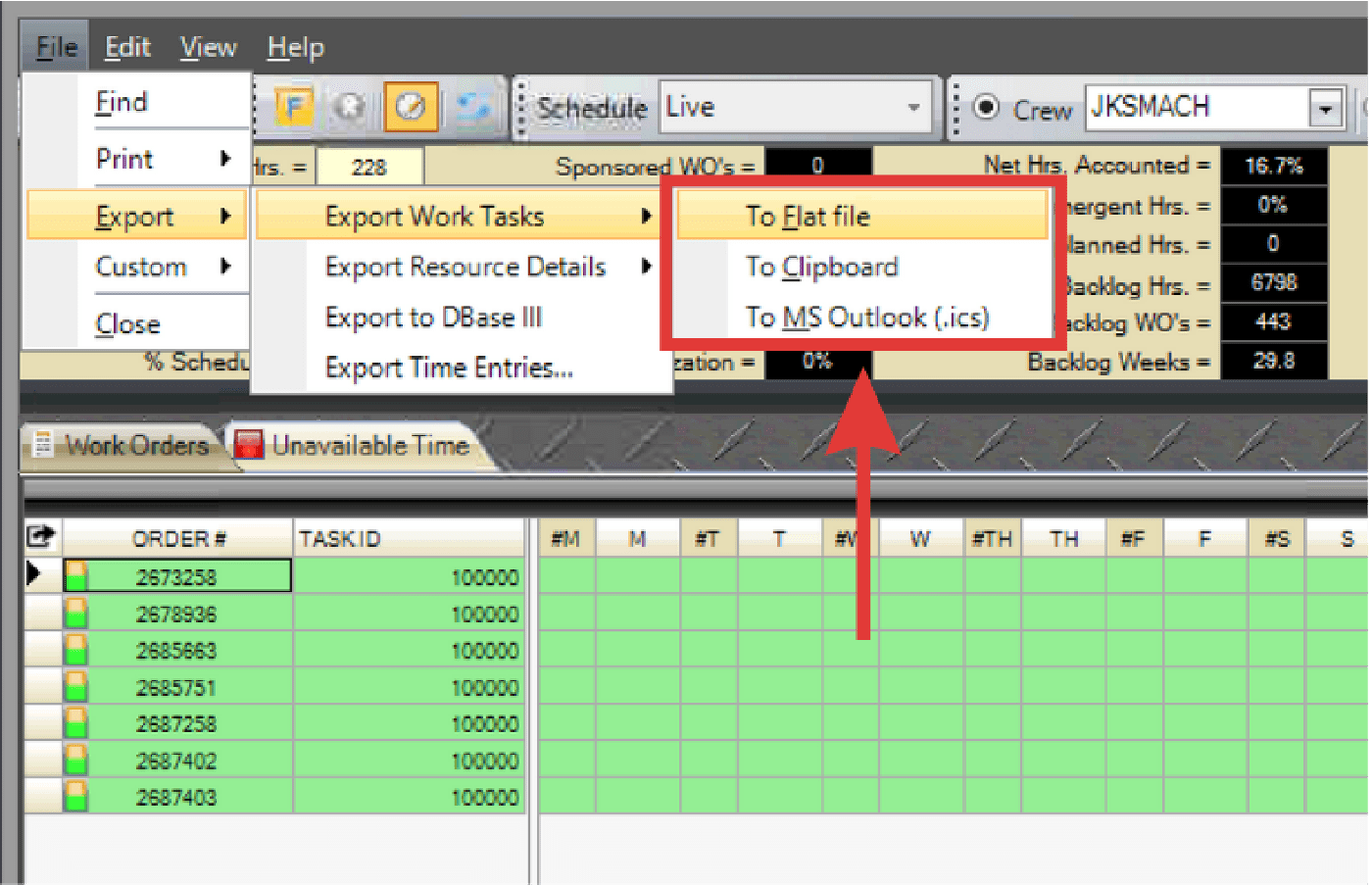
The Export function in WWS allows data to be shared or used outside of PaSTA. Users can export selected areas of the WWS to a tab-delimited file, copy the data to the Windows clipboard, or create an .ics calendar file for use in Microsoft Outlook.
- Select File > Export from the menu.
- Choose the area of the WWS to export.
- Select the export destination.

- To Flat File: Creates a tab-delimited file.
- To Clipboard: Copies the data to the Windows clipboard.
- To MS outlook (.ics): Creates a Microsoft .ics file.