Generic hours allow work to be scheduled before specific personnel are assigned. This is useful when the number of hours is known, but the exact individual performing the work has not yet been determined.
In the WWS, generic hours can be scheduled in two ways:
1. Without a craft: Enter the number of people and total hours directly on the work order. This assigns generic hours without specifying the type of worker.
2. With a craft: Filter by a generic craft (such as mechanic or welder) and assign hours to that craft. This assigns generic hours while identifying the type of craft required.
Schedule generic hours without a craft:
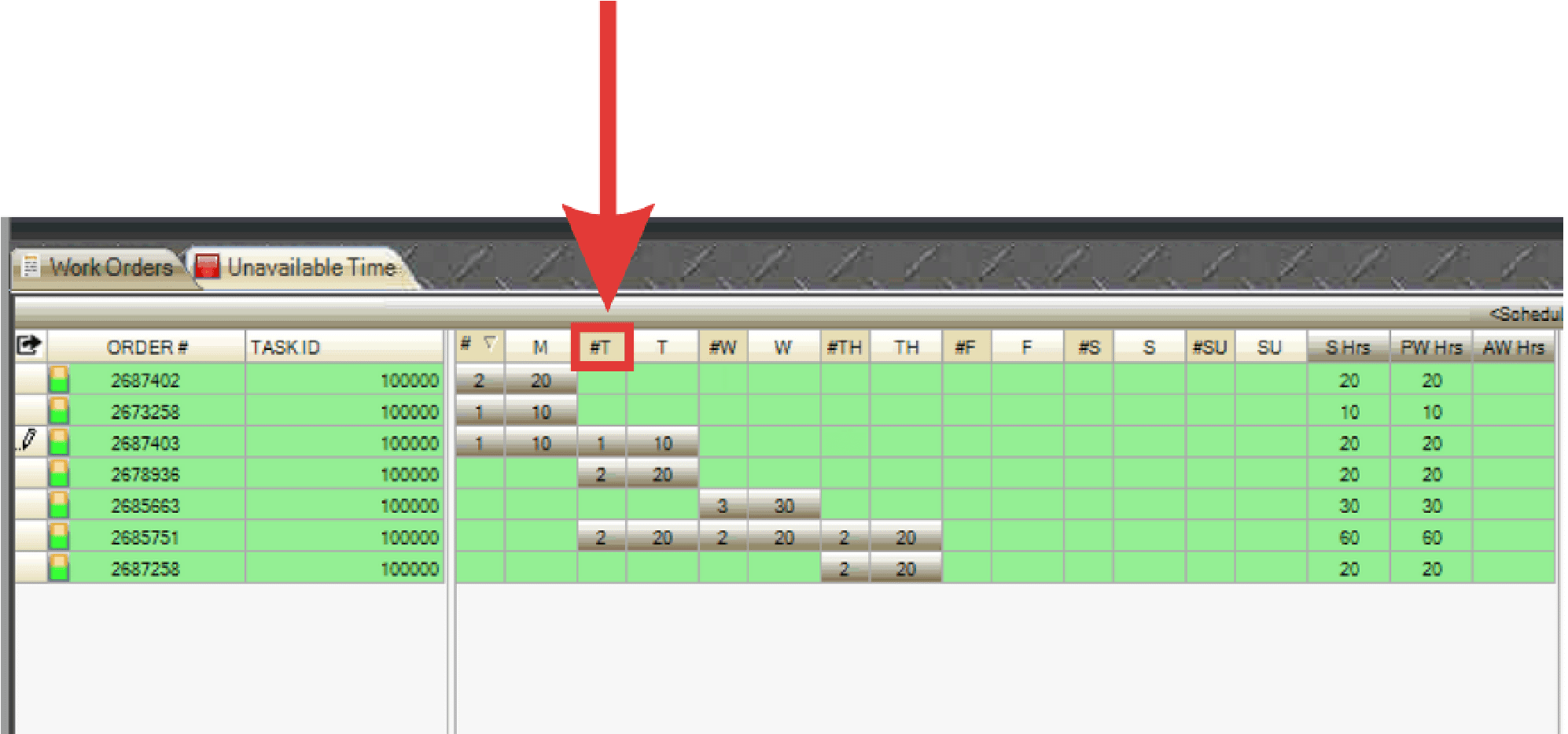
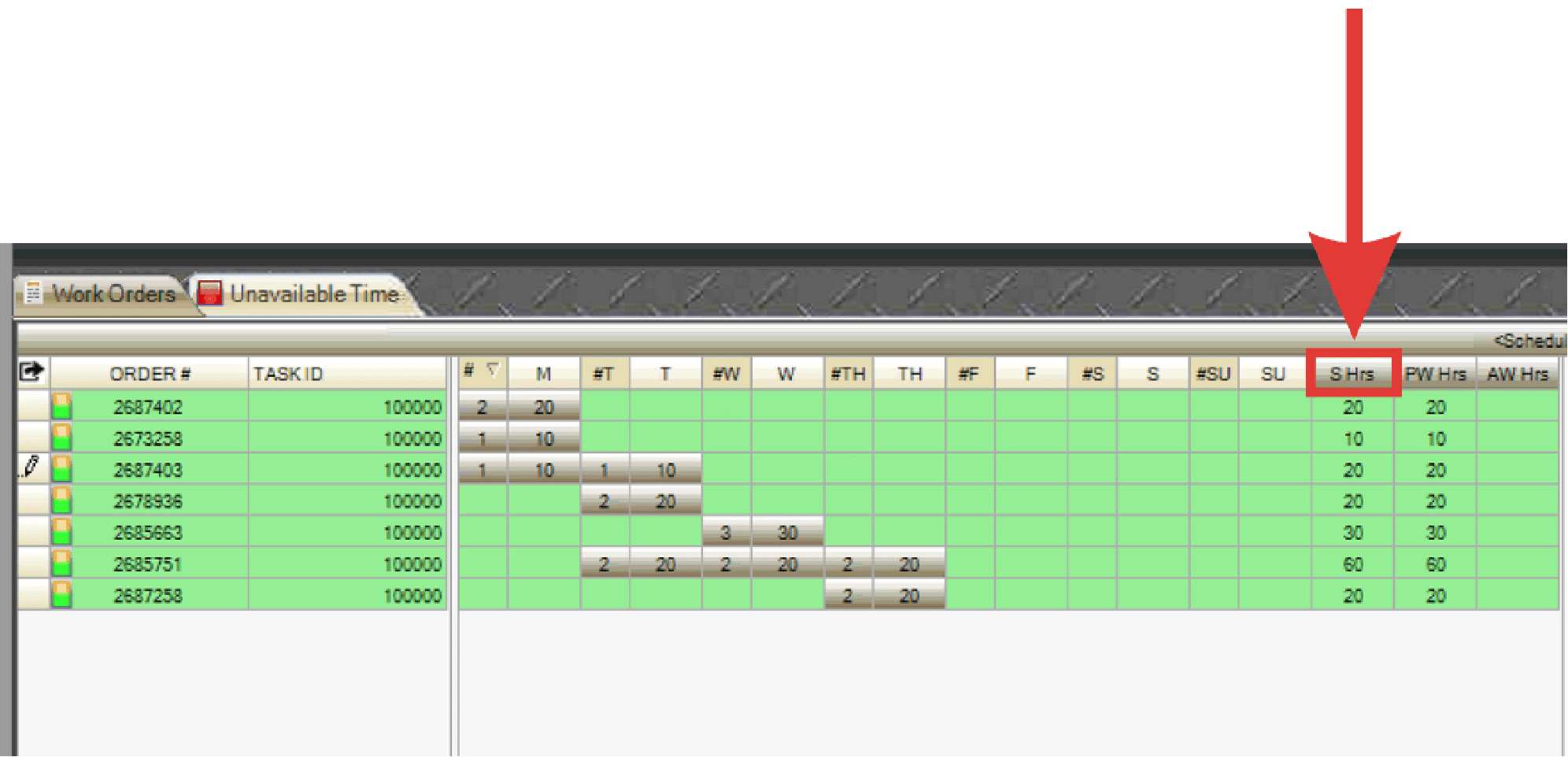
- Select a cell in the #Day column and enter the number of personnel to assign (e.g., 2).
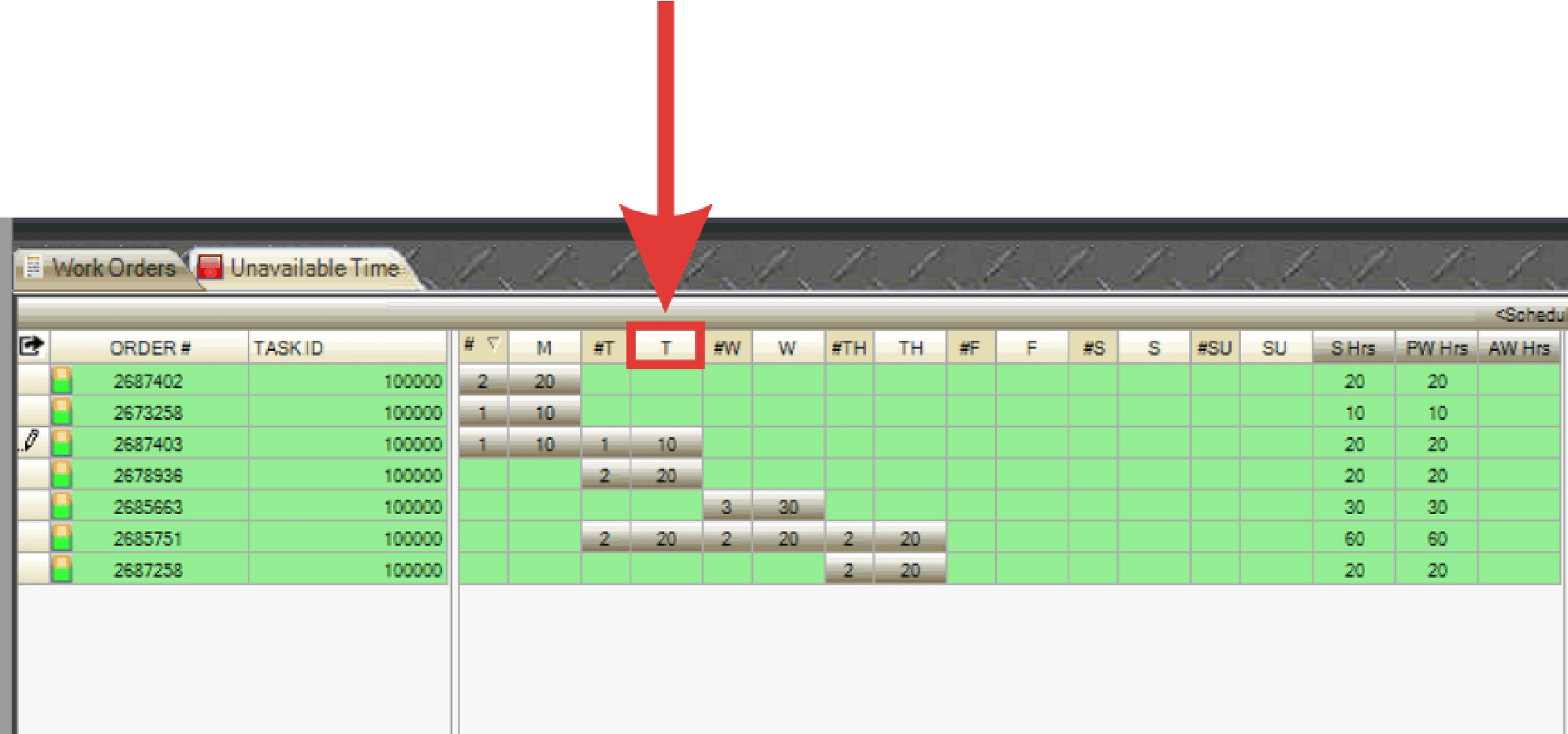
- Select the Day cell and enter the number of hours per personnel (e.g., 10).
- PaSTA automatically calculates the total number of hours (e.g., 20).
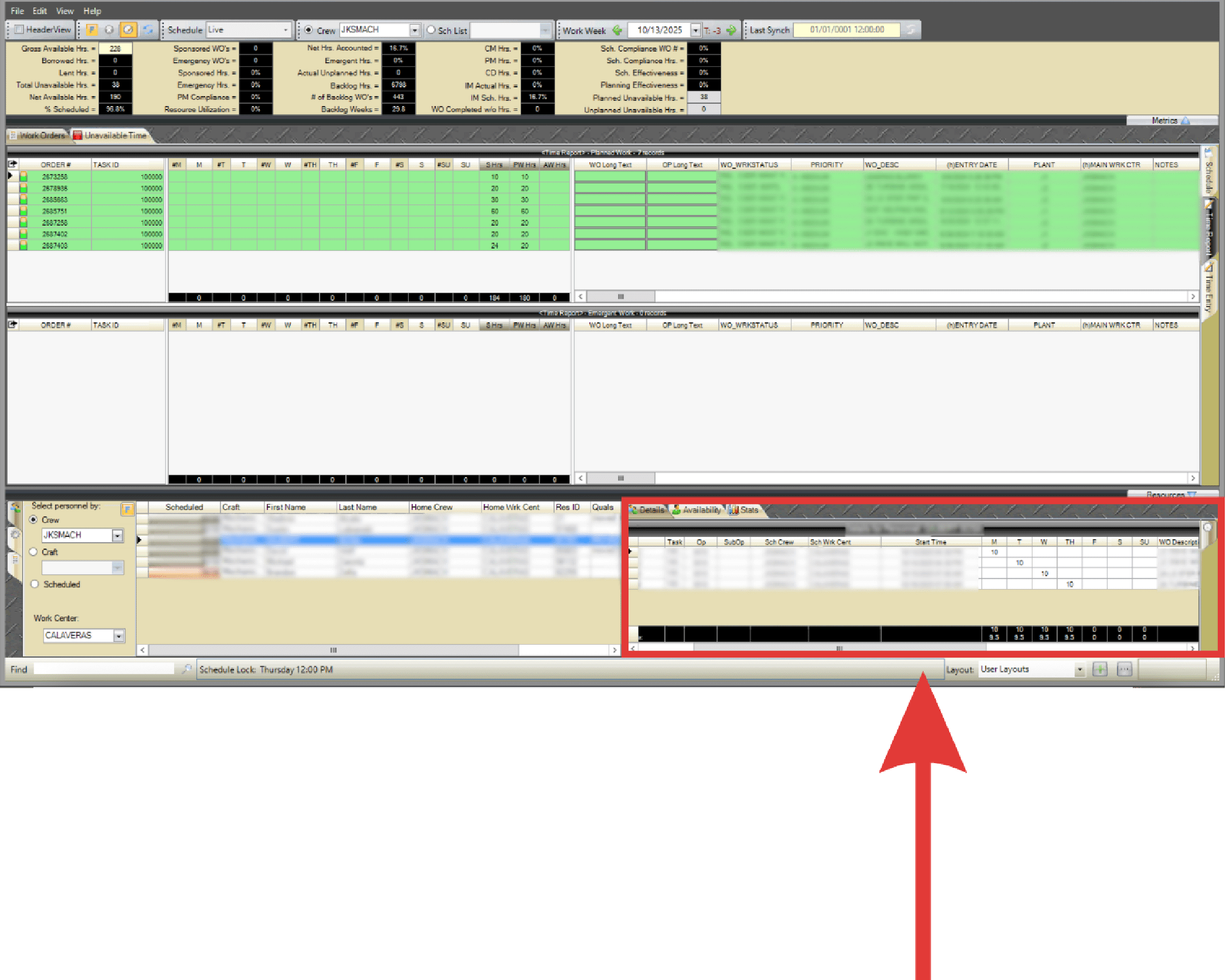
- To adjust personnel or hours, use the personnel details grid in the lower-right corner of the WWS.
- To move generic hours, drag and drop them to another day on either grid.
Schedule generic hours with a craft:
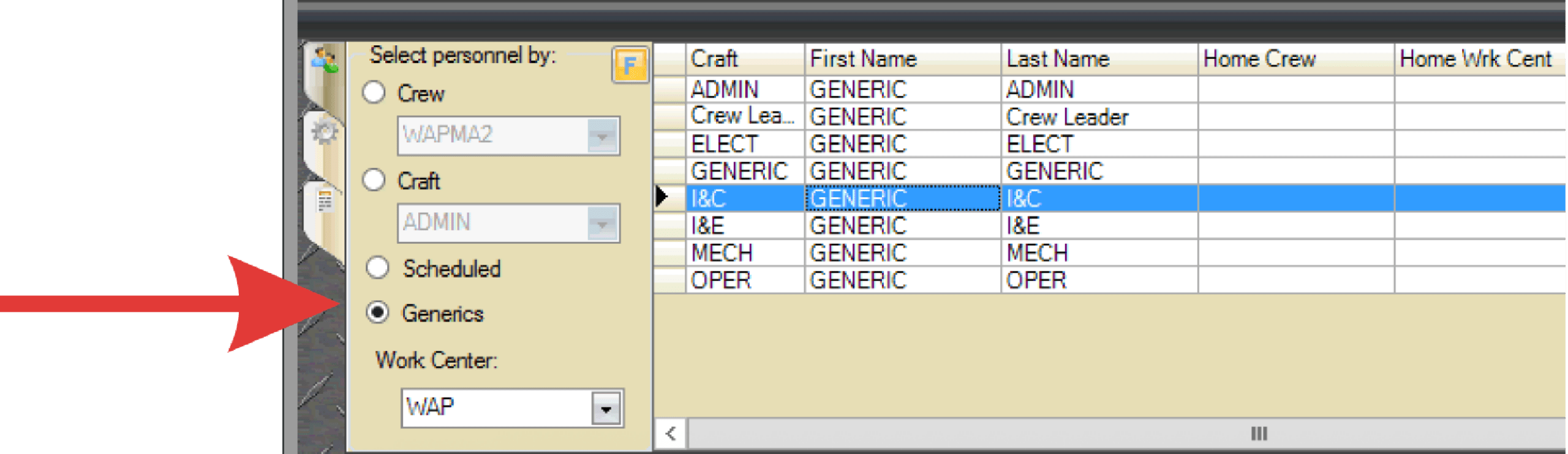
- Select the Generics button in the crew/personnel tab.
- Click and drag the desired craft onto a work order.
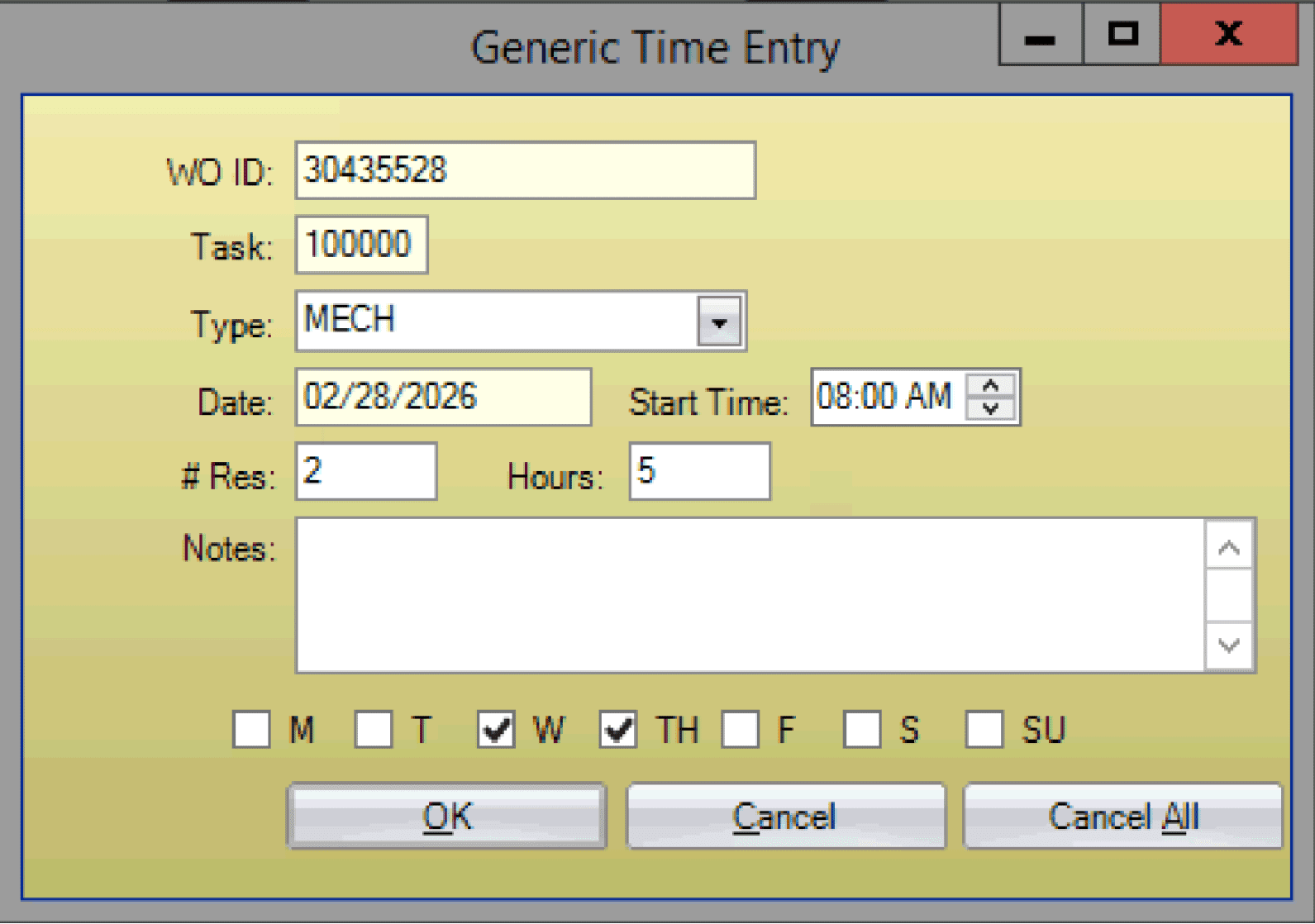
- Enter the number of resources (personnel), hours, and days of the week the job will be worked. Click OK.
- To adjust personnel or hours, use the personnel details grid in the lower-right corner of the WWS.
- To move generic hours, drag and drop them to another day on either grid.