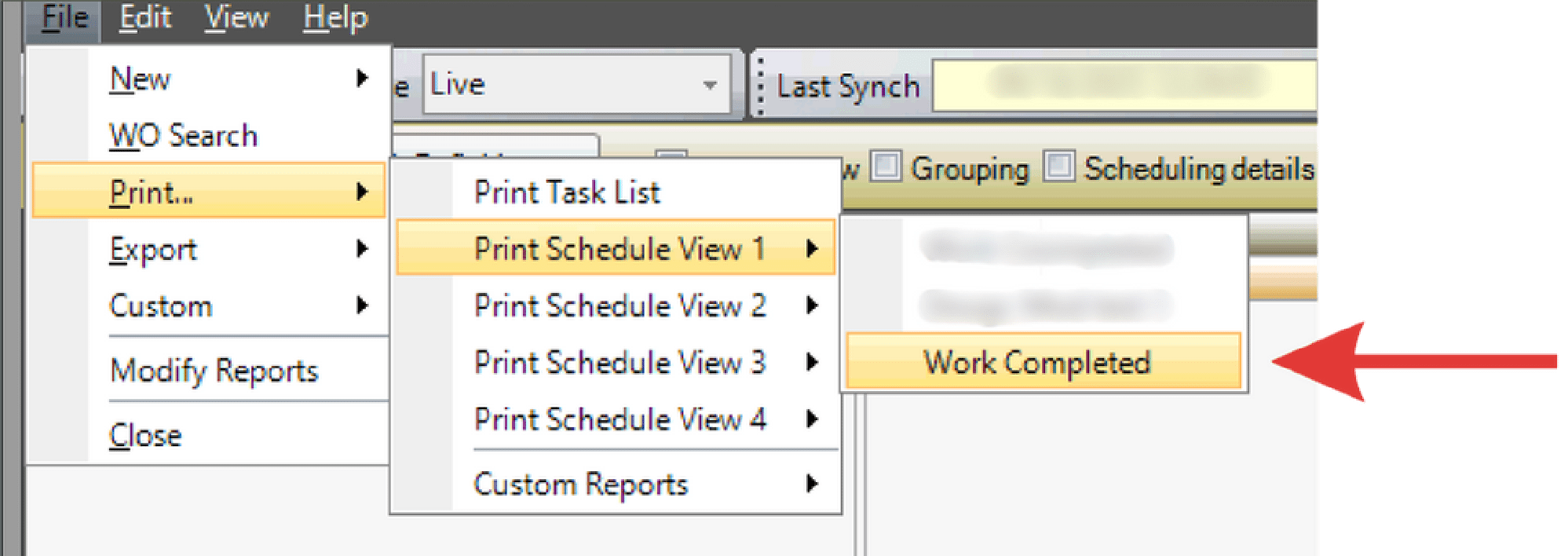
This function is available in both Work Week Assignment (WWA) and Work Week Scheduling (WWS).
Canned reports are pre-built reports available within the WWS and WWA. They are called “canned” because they are already created and can only be modified — not built from scratch. And unlike the Reports screen (which supports ad hoc reporting and automated email distribution), canned reports can only be printed or saved as a PDF.
Users can customize canned reports by adjusting layout, headers, data, and columns.
- Confirm the correct crew and T-week are selected.
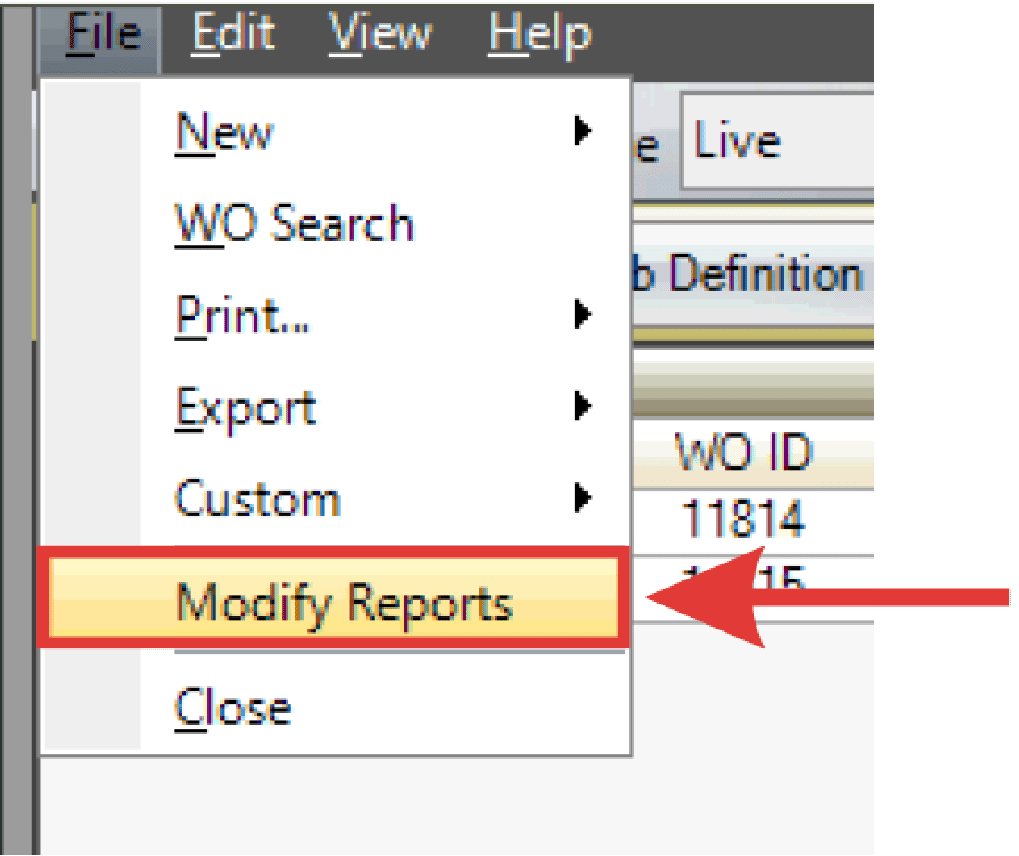
- Click File > Modify Reports.
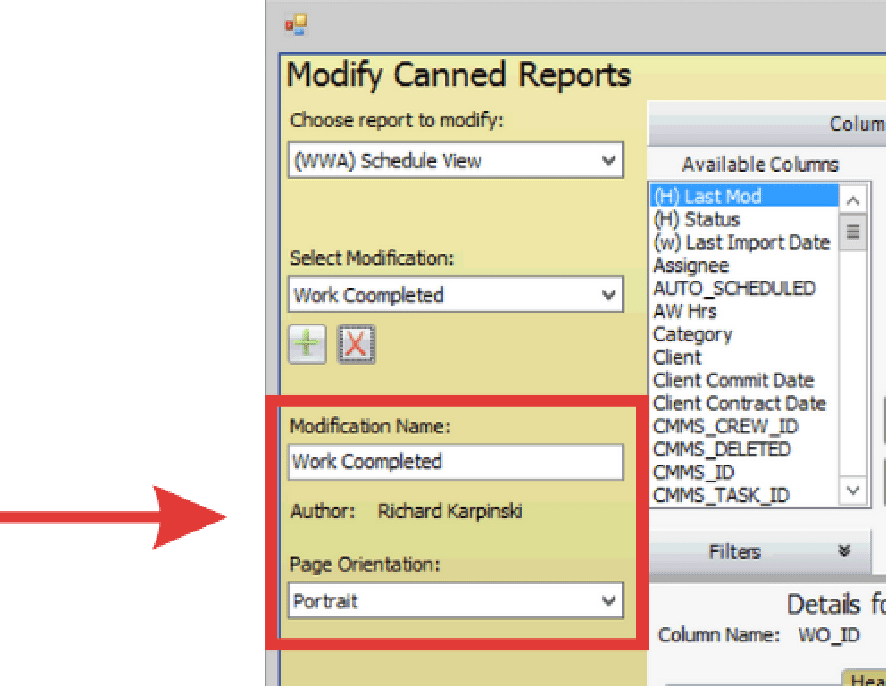
- The Modify Canned Reports dialogue box appears. Choose a report to modify using the drop down.
- Select the create icon.
- Enter the name of the modified report and determine if it’s Portrait or Landscape.
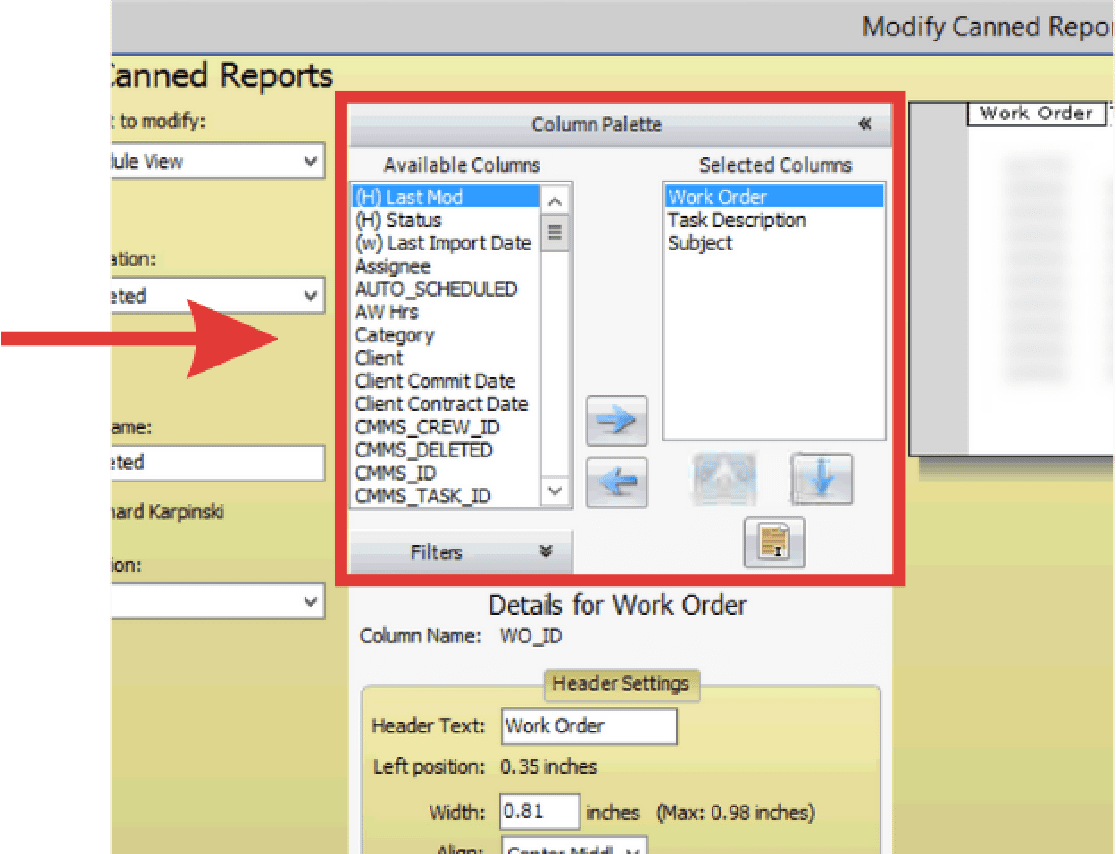
- Add the columns you would like to see on the report.
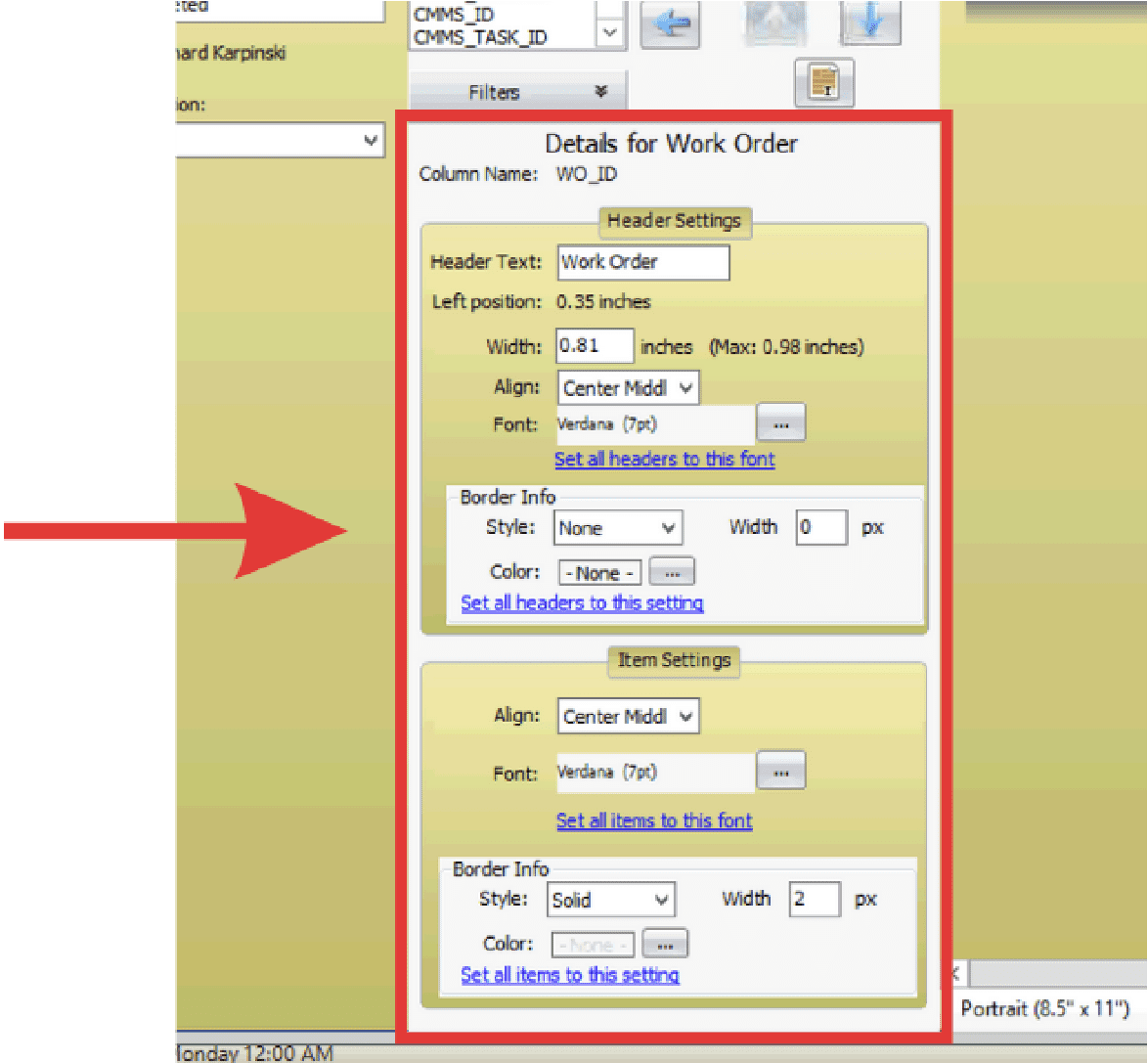
- Modify the Header and Data sections of the report.
- Observe modified report. Select the X when finished.
- Go to File and select Print. When canned reports appear, select the new modified report.
- Observe new modified report in relation to the original report.