
What is PaSTA?
PaSTA (Planning and Scheduling Tool Assistant) brings together all the components necessary for optimized work week management into a single integrated framework.
PaSTA is organized into seven screens: Work Orders, Work Week Assignment, Work Week Scheduling, Projects, Reports, Notifications, and Administration. Each is focused on a specific stage of the planning and scheduling process. Together they give a complete picture of what work needs to be done, when it will happen, and who will do it.
- Note: Depending on your user permissions and your organization’s configuration, access to certain screens may be restricted or not enabled.
PaSTA Screens
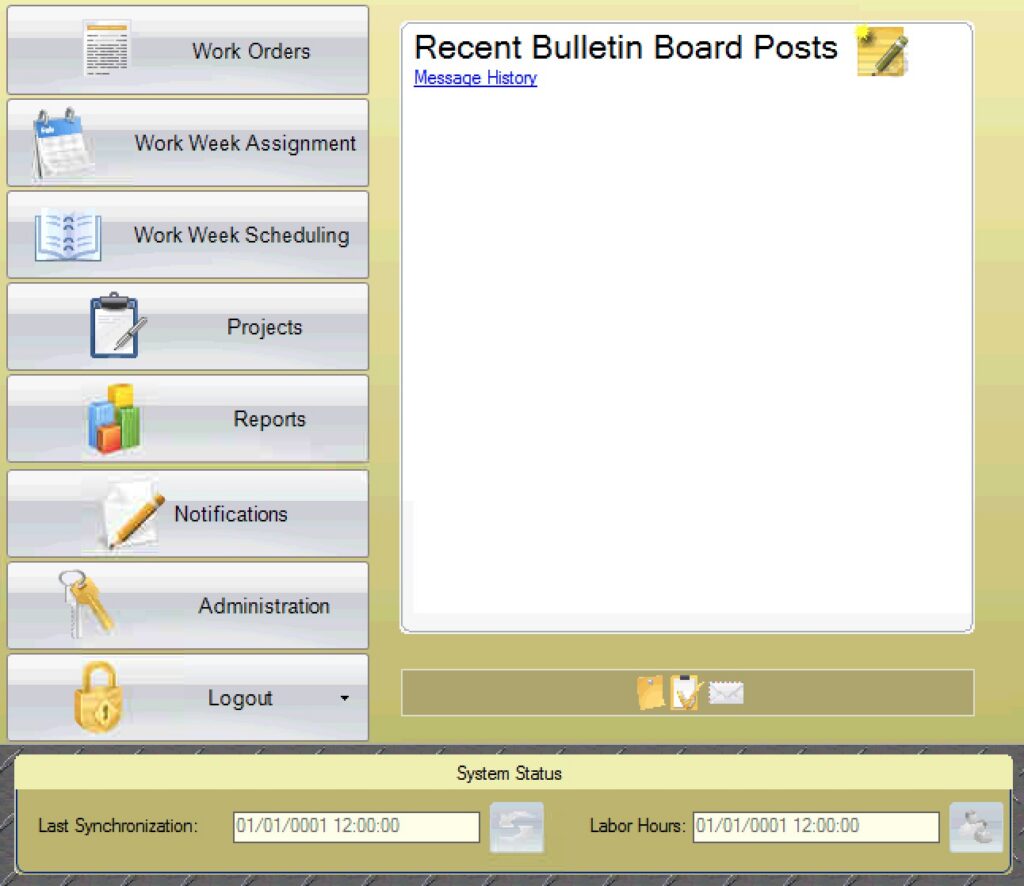
Work Orders: Query information on work orders, tasks, and schedules.
Work Week Assignment (WWA): Place jobs from the backlog into rolling T-Weeks to plan when work will be done.
Work Week Scheduling (WWS): Schedule personnel and equipment to work.
Projects: Organize and track larger or long-term work by breaking it into sections, subsections, and milestones.
Reports: Create and share reports that show schedules, progress, and performance metrics.
Notifications: If your PaSTA has been configured for notifications, this is where they are managed.
Administration: Manage user access, roles, security settings, shift patterns, personnel and equipment (if not defined through integration), and other configuration settings.
How does it work?
Work is tracked by T-weeks
T-Weeks (Target-weeks) represent the number of weeks leading up to (and following) the target execution week (T0). For example, T-6 is six weeks before work is scheduled to take place, while T+1 is one week after for closing and post execution reporting. This timeline helps teams track readiness activities and ensure work is fully planned before execution.

- T0: Target week when work occurs
- T-x: Weeks before execution (planning and readiness)
- T+x: Weeks after execution (closeout and reporting)
The Work Week Assignment (WWA) and Work Week Scheduling (WWS) screens work together to move work orders through the T-week timeline: first assigning work to a target week in the WWA, then scheduling the resources needed to execute it in the WWS.
Assigning Work Orders to T-weeks with the WWA
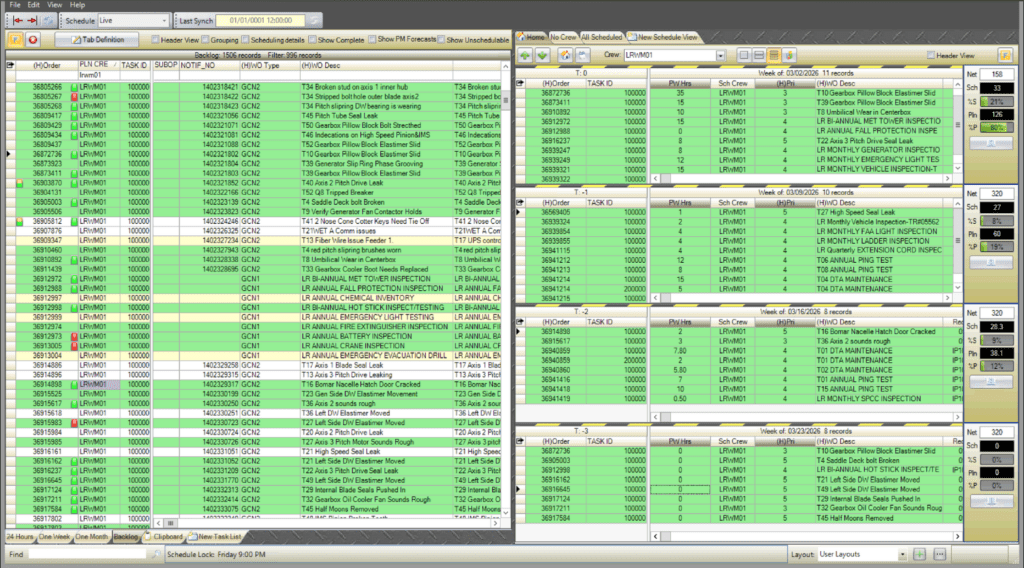
The WWA is where planners review, filter, and place backlog work into the T-week timeline. Work orders from your CMMS appear on the left side of the screen (the backlog) and are assigned to a crew and T-week on the right side of the screen.
Scheduling Resources to Work Orders with the WWS
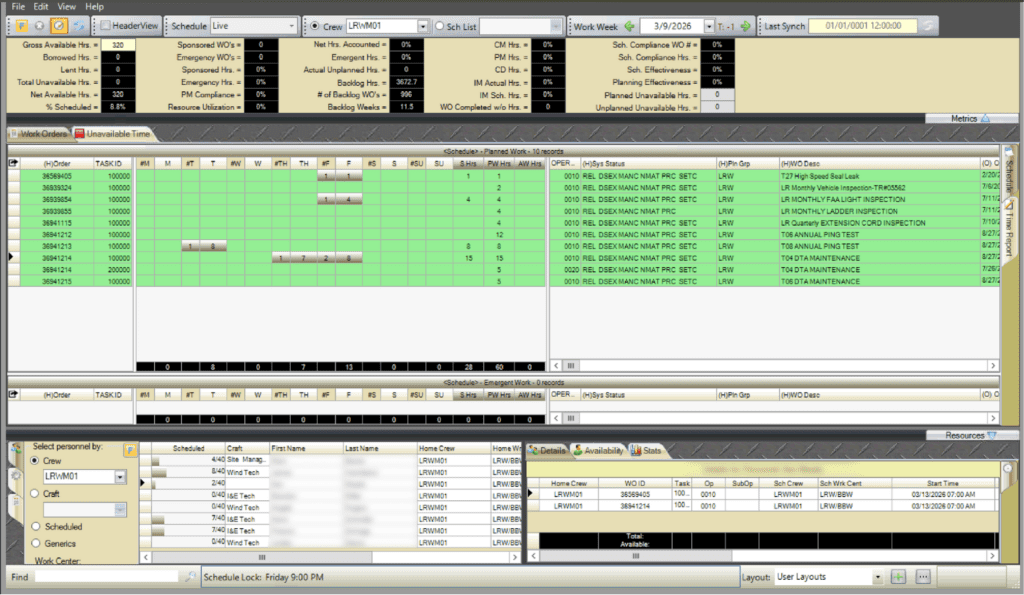
The WWS is where the planned work from the WWA is turned into an executable schedule. From this screen, users assign personnel and equipment to the work orders. They account for unavailable hours, balance workloads against capacity, and track scheduled versus actual hours.
Closeout Work Orders for T+weeks with the WWA
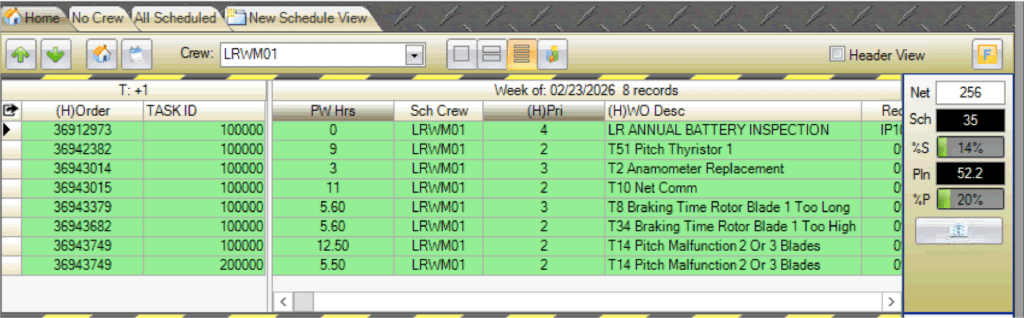
The WWA is where planners review work orders for the T+week after T0 execution occurs. Work orders are reviewed to confirm whether they have been properly closed out. Any remaining open work is either closed, if appropriate, or rolled over to the applicable T-week for completion.
Managing Work with Projects
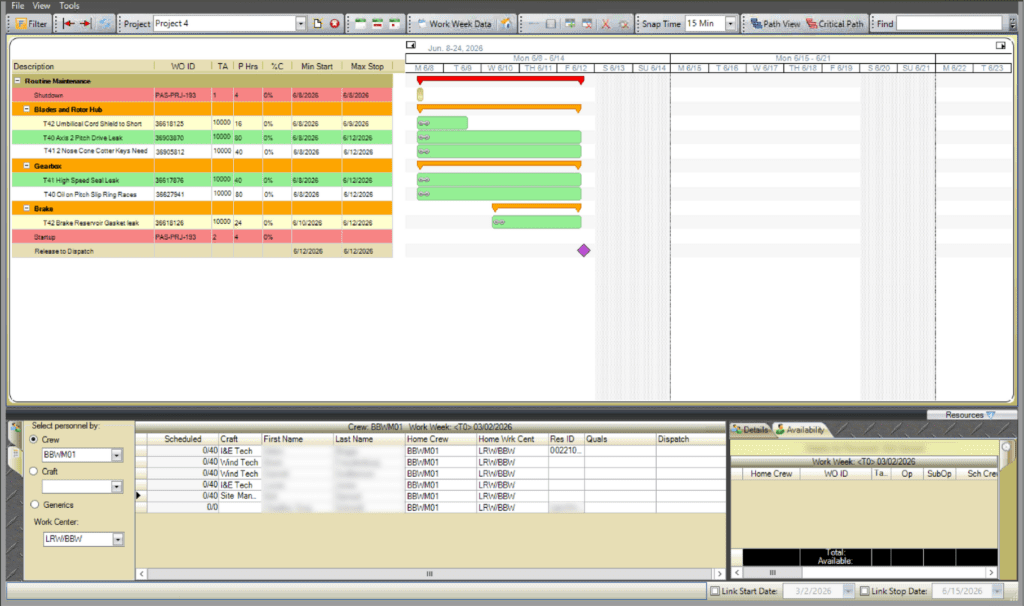
For more complex work that spans longer timeframes, Projects provide structure and organization. Projects allow users to group work into sections and milestones to coordinate dependencies and resource assignments.
Viewing and Sharing Data with Reports
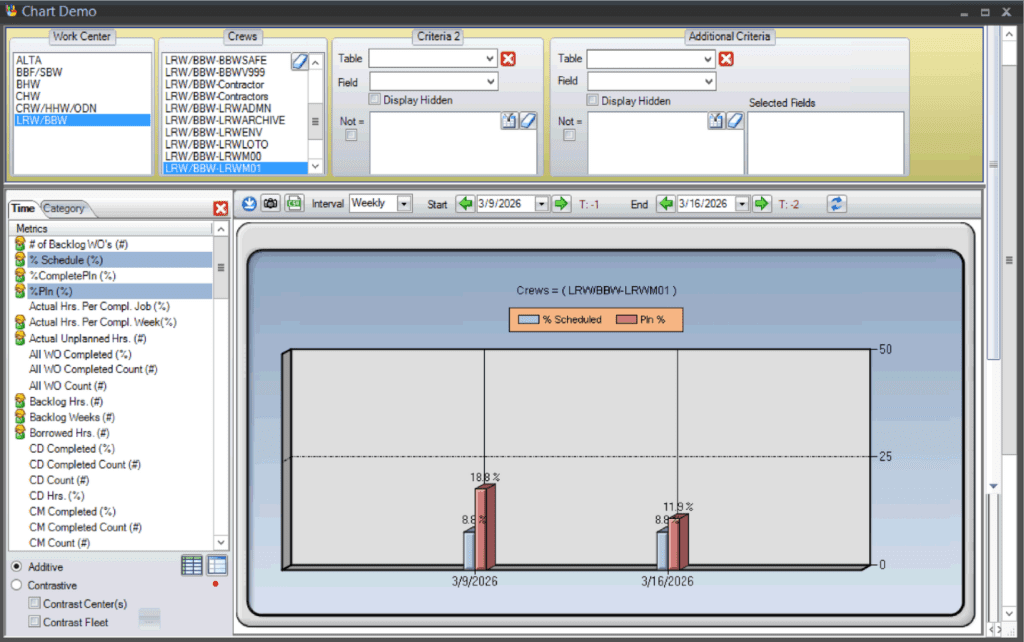
The Reports screen is where planning and scheduling data from PaSTA is turned into shareable outputs. Users can generate standard reports, customize layouts, export data, and automate report distribution.
Configuring PaSTA with Administration
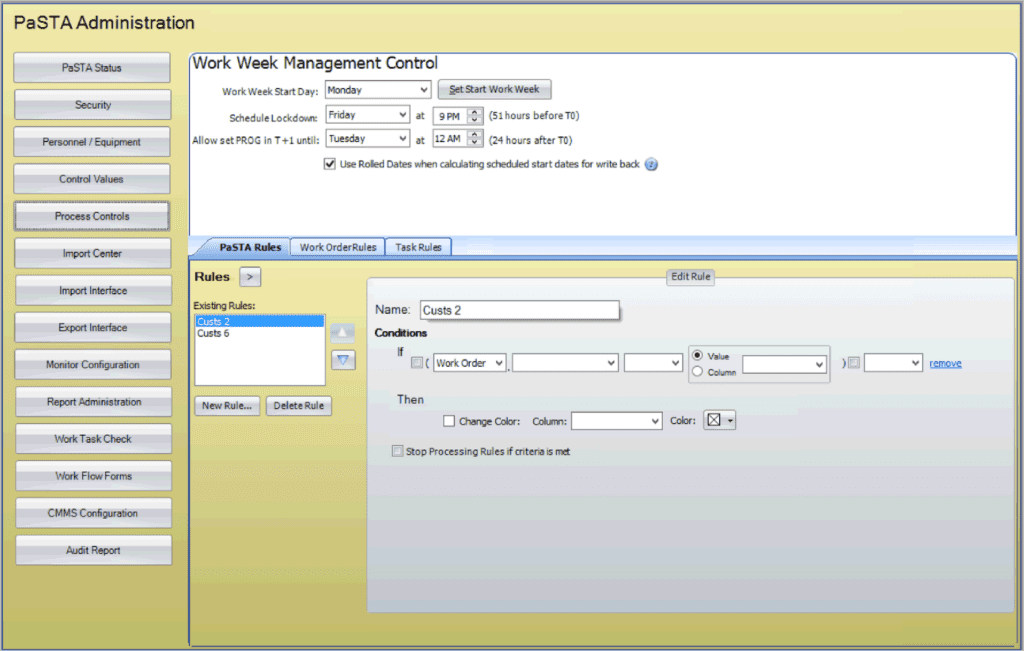
The Administration (Admin) screen is where administrators manage users, resources, security roles, and system rules that support scheduling and planning activities.
The Admin screen focuses on PaSTA’s internal data configuration. Integration with the external CMMS system is handled through the Web Utility Interface, which ensures data is synchronized and exchanged correctly between systems.
How It All Fits Together
Each part of PaSTA works together to form a coordinated planning and scheduling system. Work orders are imported from the CMMS and assigned to T-weeks in Work Week Assignment. Those planned work orders are then assigned resources for execution in the Work Week Scheduling screen. For more complex work that spans longer timeframes, Projects provide structure and organization. The Reports screen turns data into shareable outputs. Behind it all, the Administration screen and Web Utility Interface ensure that users, resources, and system integrations remain aligned.