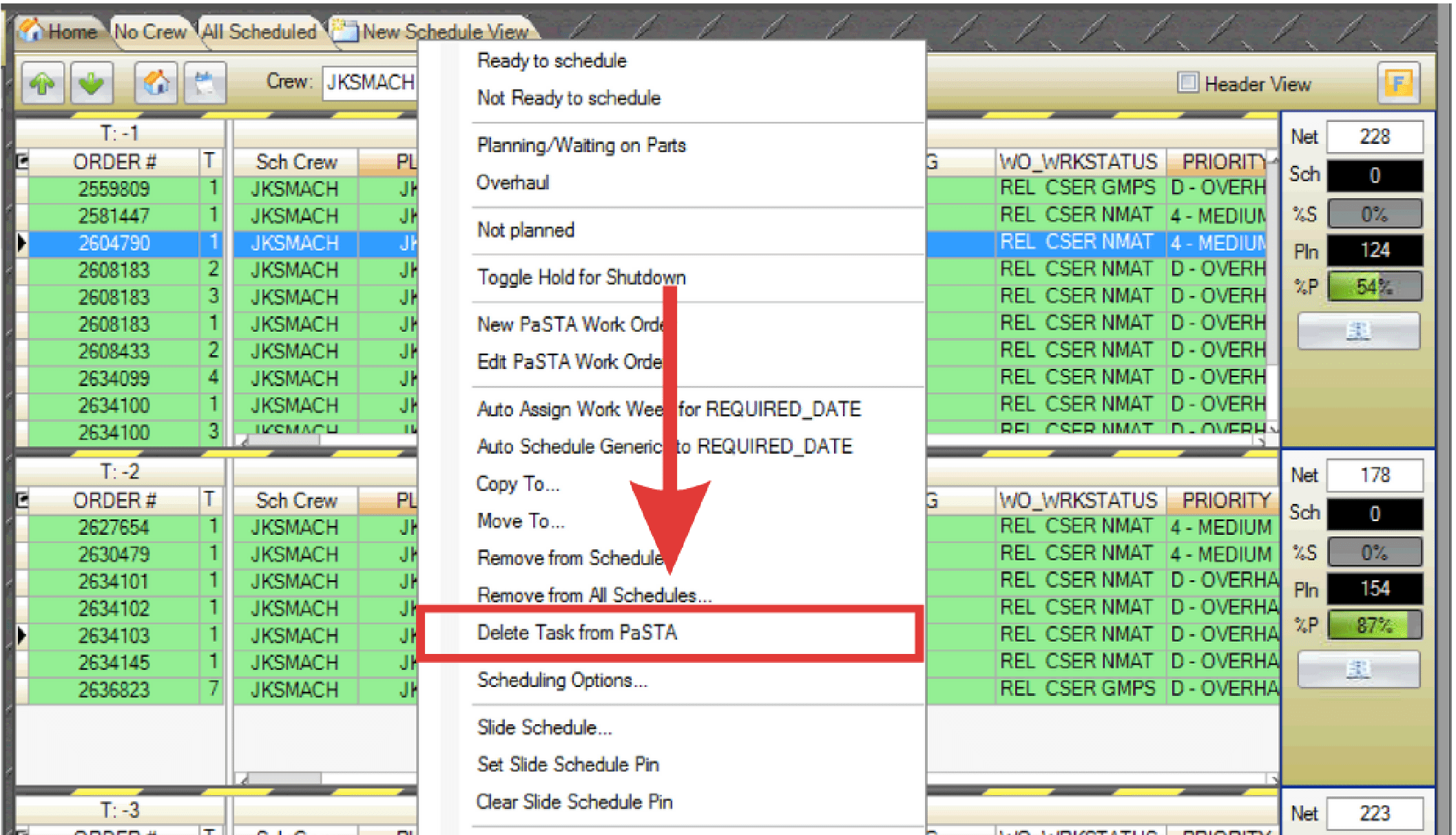
The Delete Task from PaSTA function allows a work order task to be permanently deleted from PaSTA. This option is not available for T0 or T+ weeks.
Note: This function can only be performed by users with the proper security role. The task is deleted from PaSTA only. Tasks cannot be deleted if actual hours have been applied or if they are part of a project.
- Right-click the work order to be deleted and select Delete Task from PaSTA.
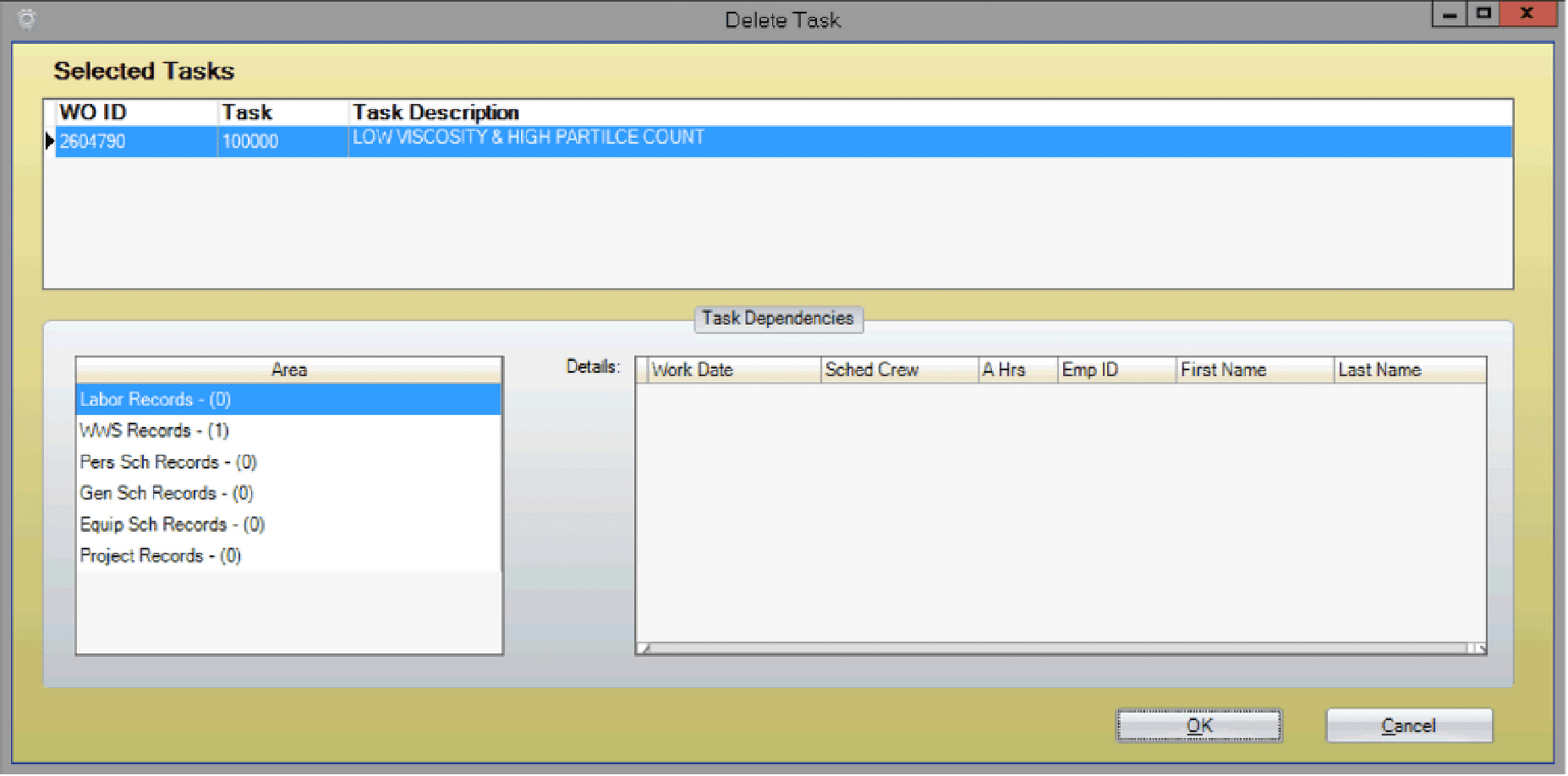
- In the Delete Task window, verify the correct task is selected. Select the area where the task should be removed. The number shown in parentheses represents how many times that task appears in that area. Click OK.
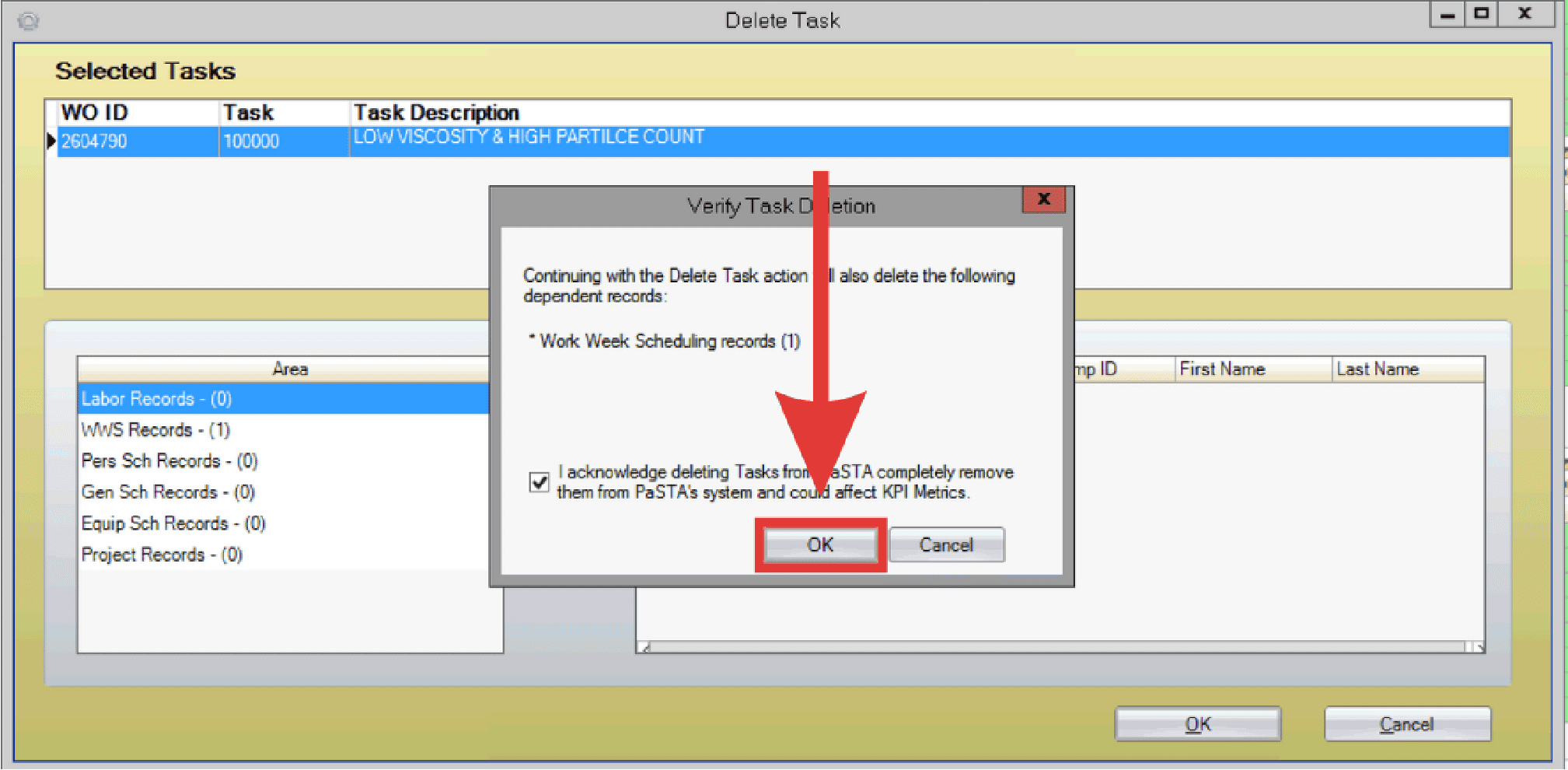
- When the verification window appears, check the acknowledgment box and select OK to confirm deletion.