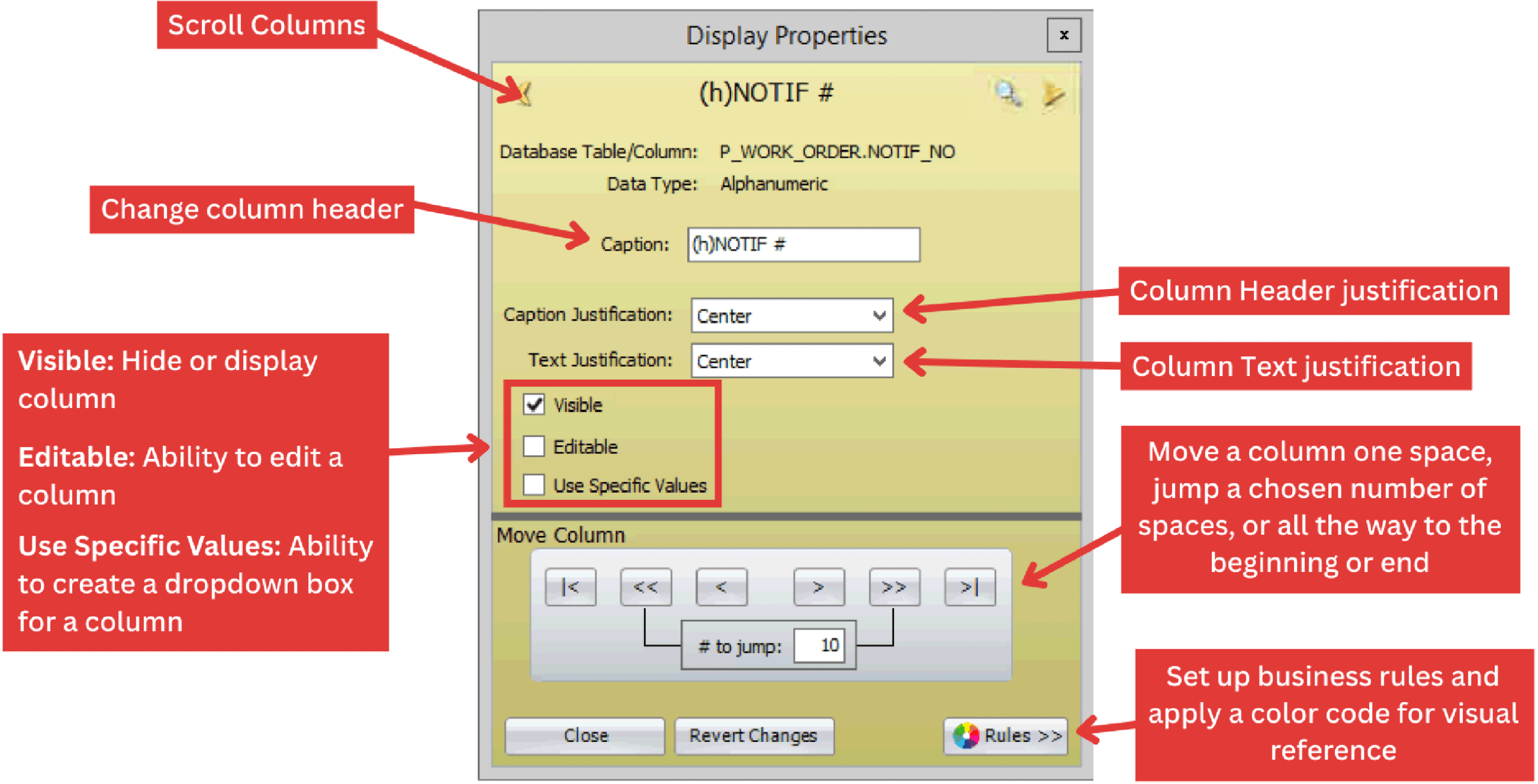
Use Display Properties to control which columns appear and how their data is presented in your view.
Note: The end-user can only perform this function with the proper security role.
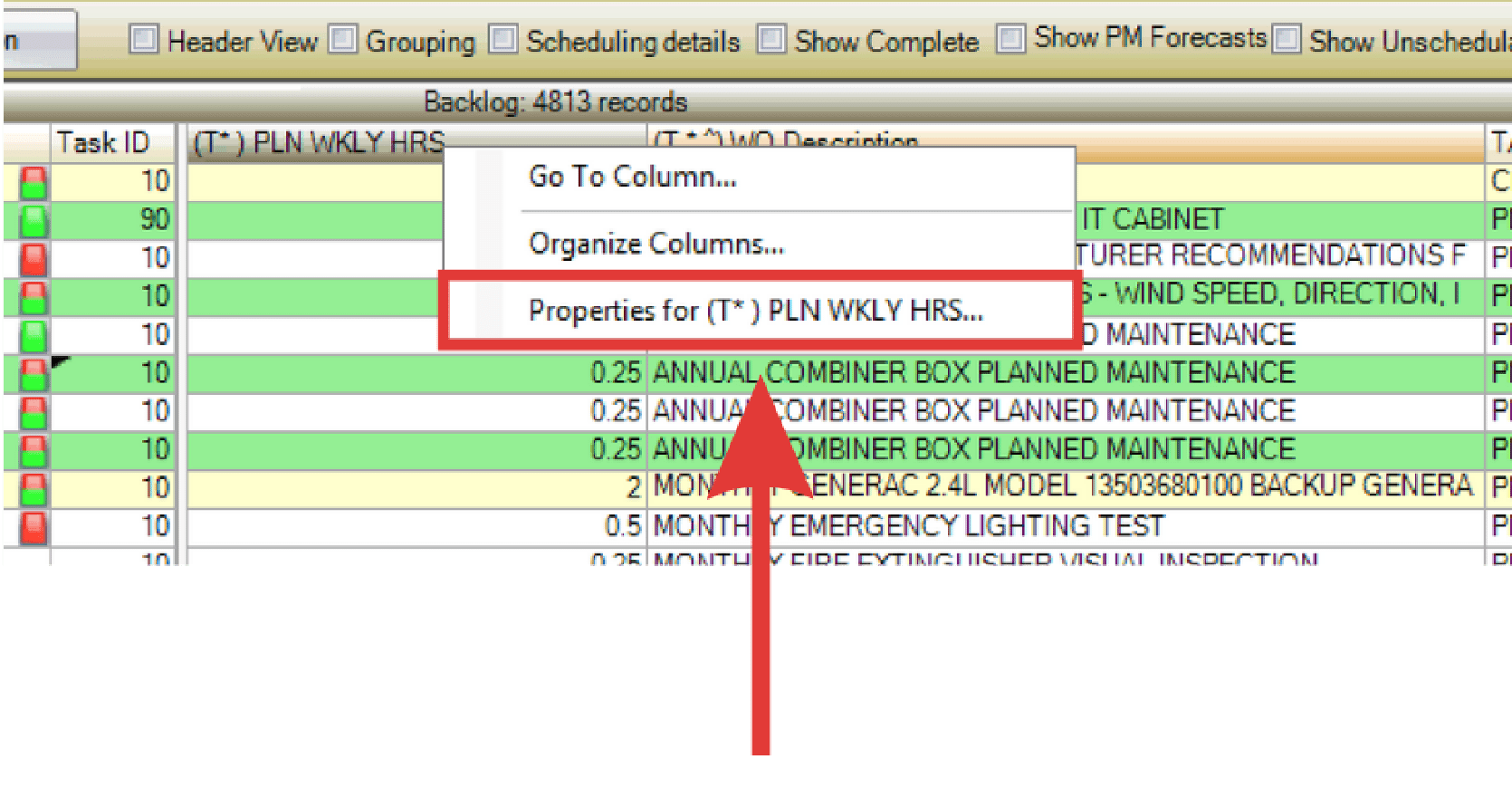
- Right-click on a column header and select “Properties for ___.” The Display Properties window opens.
- Update the settings as needed and select the Close button when finished.