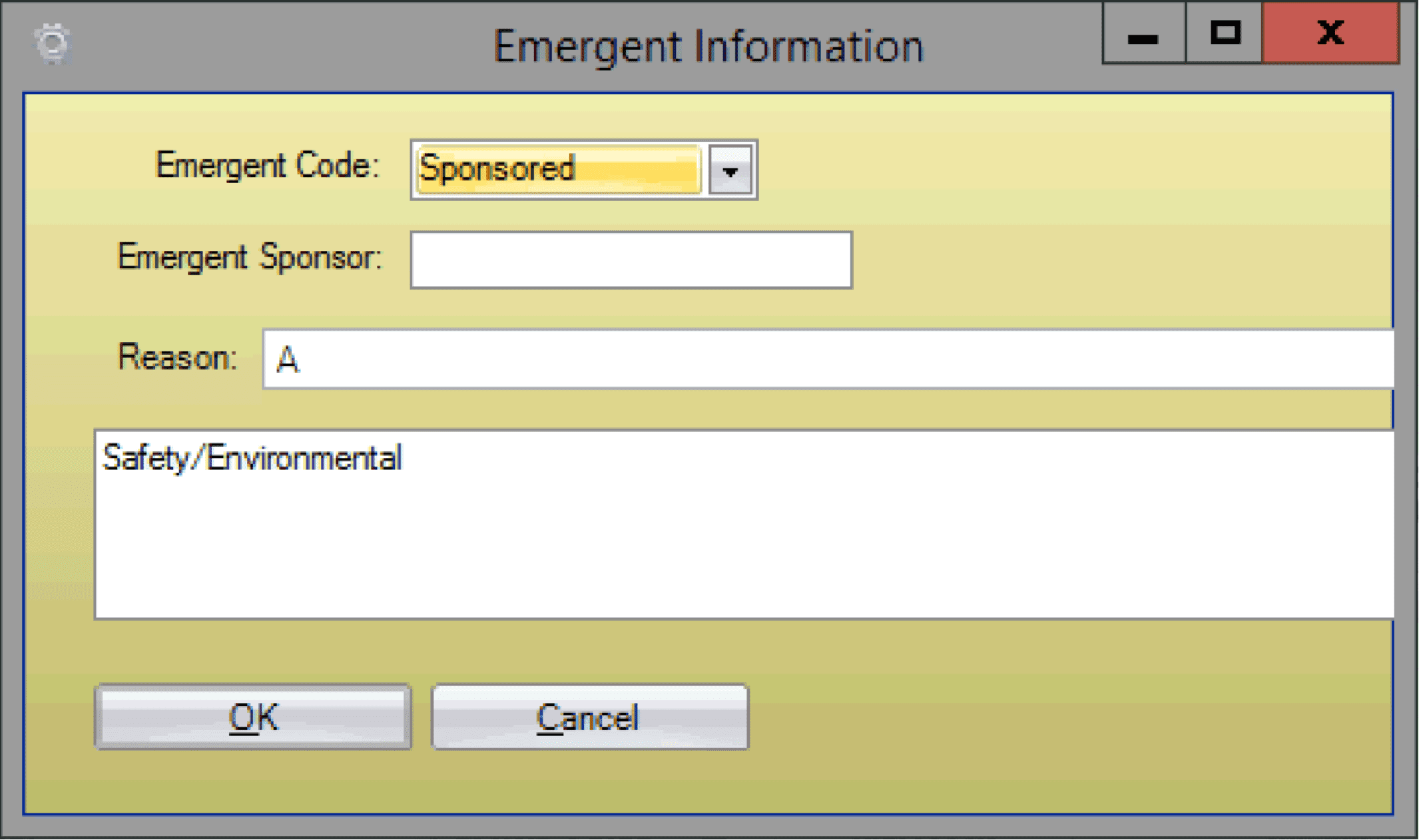
Unplanned work that arises during the T0 execution week is scheduled as Emergent Work. These jobs are added directly to the current week’s schedule and flagged for visibility. Emergent work may be classified as Emergency (urgent, condition-driven) or Sponsored (initiated at the request of a sponsor).
Note: Emergent work is not planned and scheduled work, and thus has a negative impact on metrics. This affects measures such as schedule compliance, schedule adherence, and planning accuracy.
- Drag and drop the job from the backlog to the current week T0.
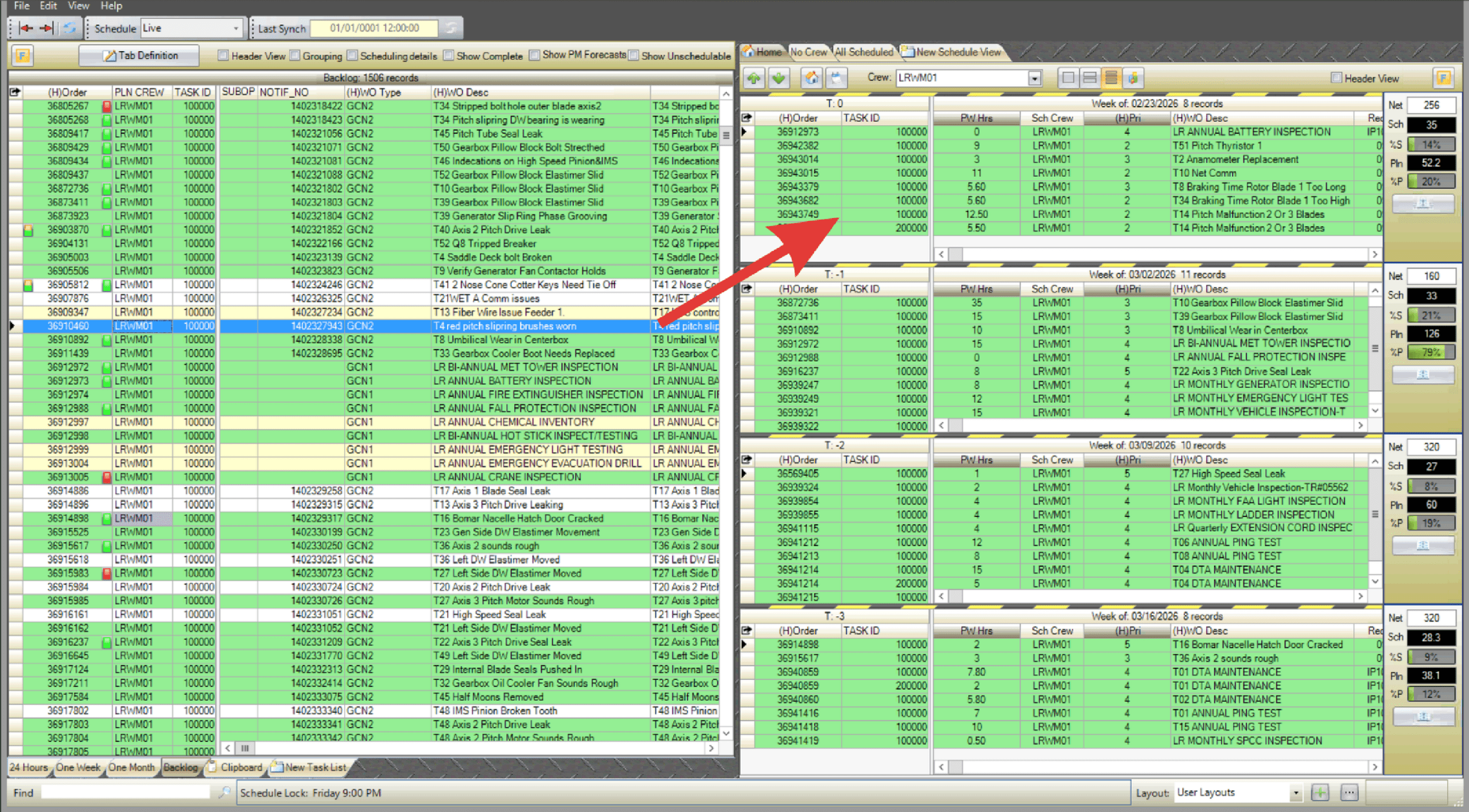
- Alternatively, right-click the job, select Schedule Task, and choose T0.
- The Emergent Information dialogue box appears. Select the Emergent Code from the drop-down menu (Sponsored or Emergency).

- Sponsored: Unplanned tasks added to the T0 schedule at the request of a sponsor, typically to meet business or stakeholder priorities.
- Emergency: Unplanned tasks that must be added to the T0 schedule immediately due to urgent conditions or critical needs.
- Enter the Emergent Sponsor.
- Select an Emergent Reason Code from the drop-down menu (Reason codes are configured in the Admin section).
- Enter any additional notes if needed.
- Click OK to schedule the job as emergent work in T0.
- Emergency work is highlighted in red and Sponsored work in blue for visibility.