Before scheduling work to a T-week, first establish accurate Net Available hours. Net Available hours are calculated as Gross Available hours minus Planned Unavailable hours.
Planned Unavailable hours represent scheduled time off—such as vacation, sick leave, or training—during which personnel are not available for maintenance work in that week. The steps below outline how to enter Planned Unavailable hours to ensure accurate Net Available hours.
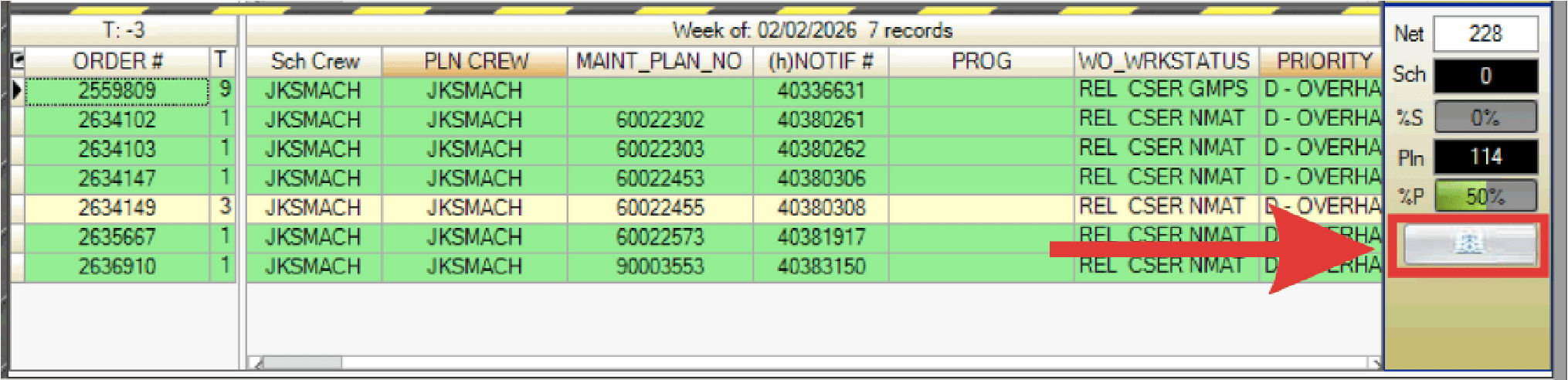
- For each T-week there is a button that will take you directly to the Work Week Schedule (WWS) screen. Click the button as shown.
- Select the Unavailable Time tab.
- In the Personnel grid (lower left), select the desired individual(s) and drag them into the Planned Unavailable Time grid for the chosen type and day.

- Unplanned Unavailable hours are only used during T0 Work Week to identify unplanned time that unexpectedly became unavailable during T0 work execution week and do not impact the Net Available hours metric.
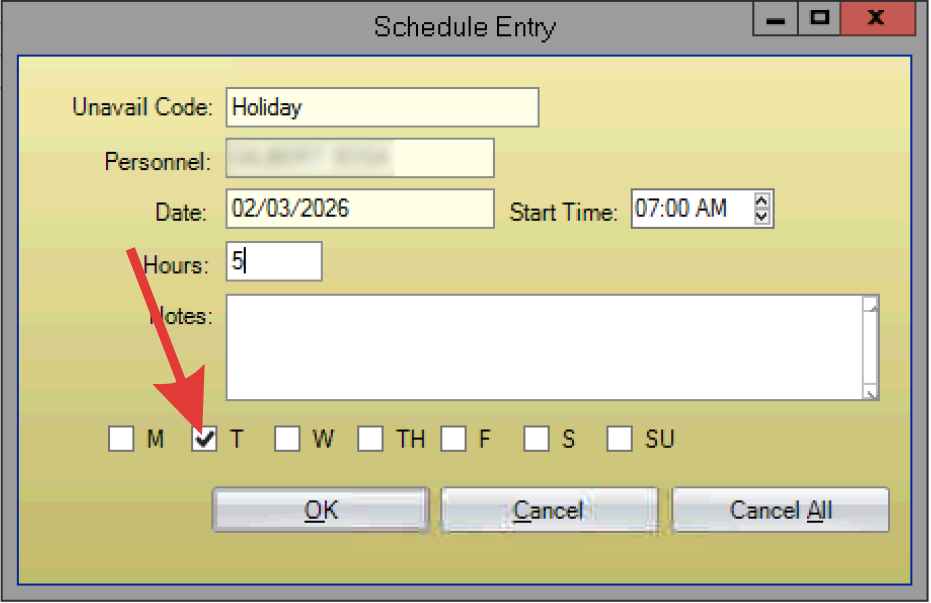
- The Schedule Entry dialogue box appears. Select the start time and enter the number of hours the person will be unavailable each day.
- Ensure the correct day(s) of the week that person will be unavailable is checked.
- Click OK.
- Select File > Close to return back to the WWA.
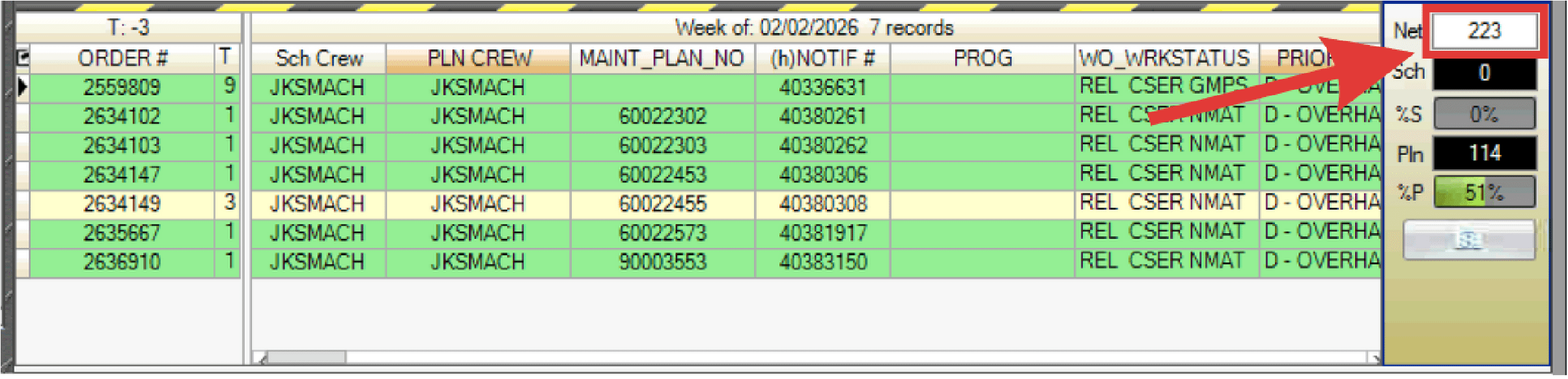
- Observe the net hours that accurately indicate the true hours available, making it ready to schedule work within the T-Week.