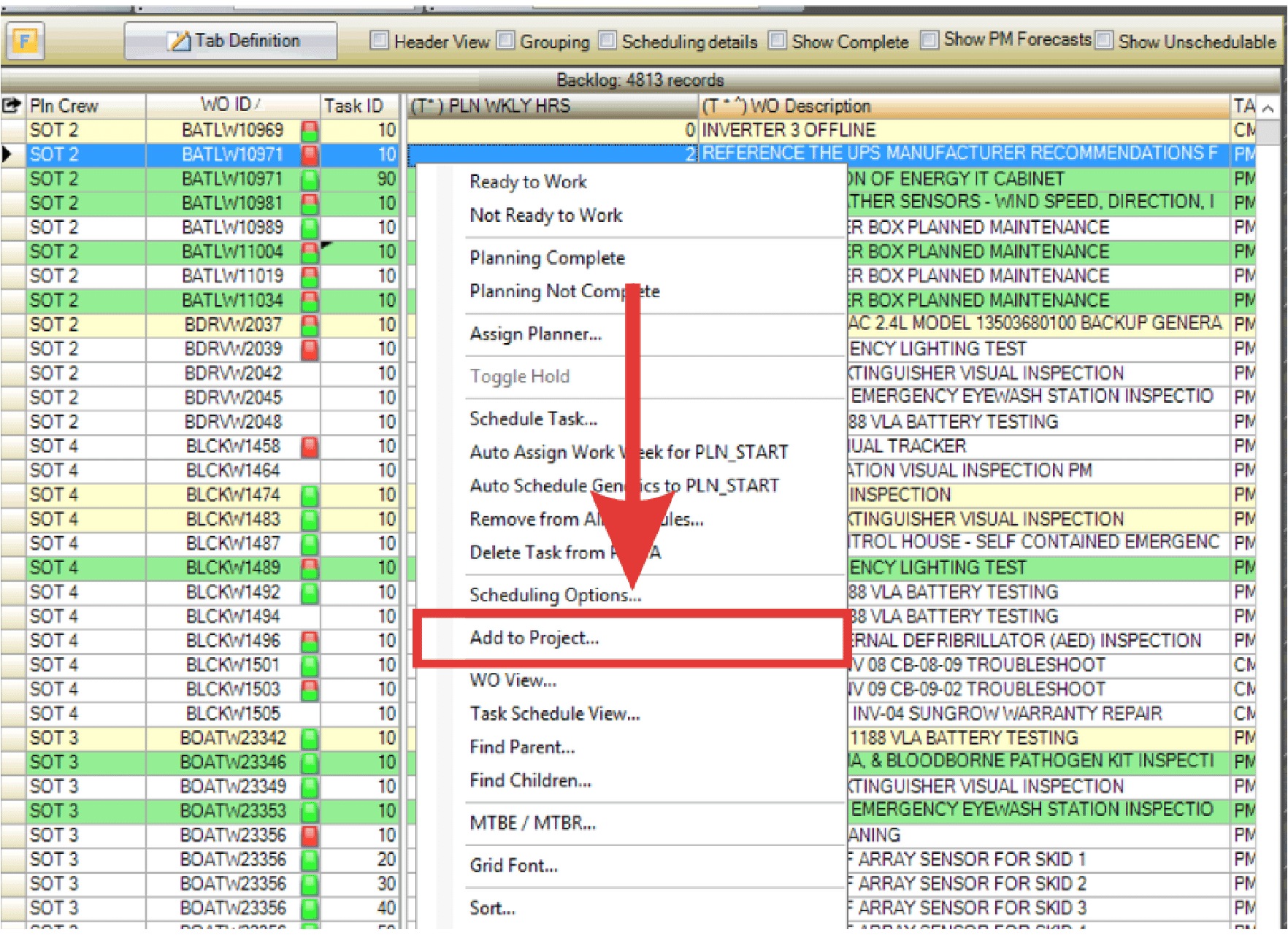
Assign jobs to projects directly from the WWA using the right-click menu.
- Right-click the job and select Add to Project.
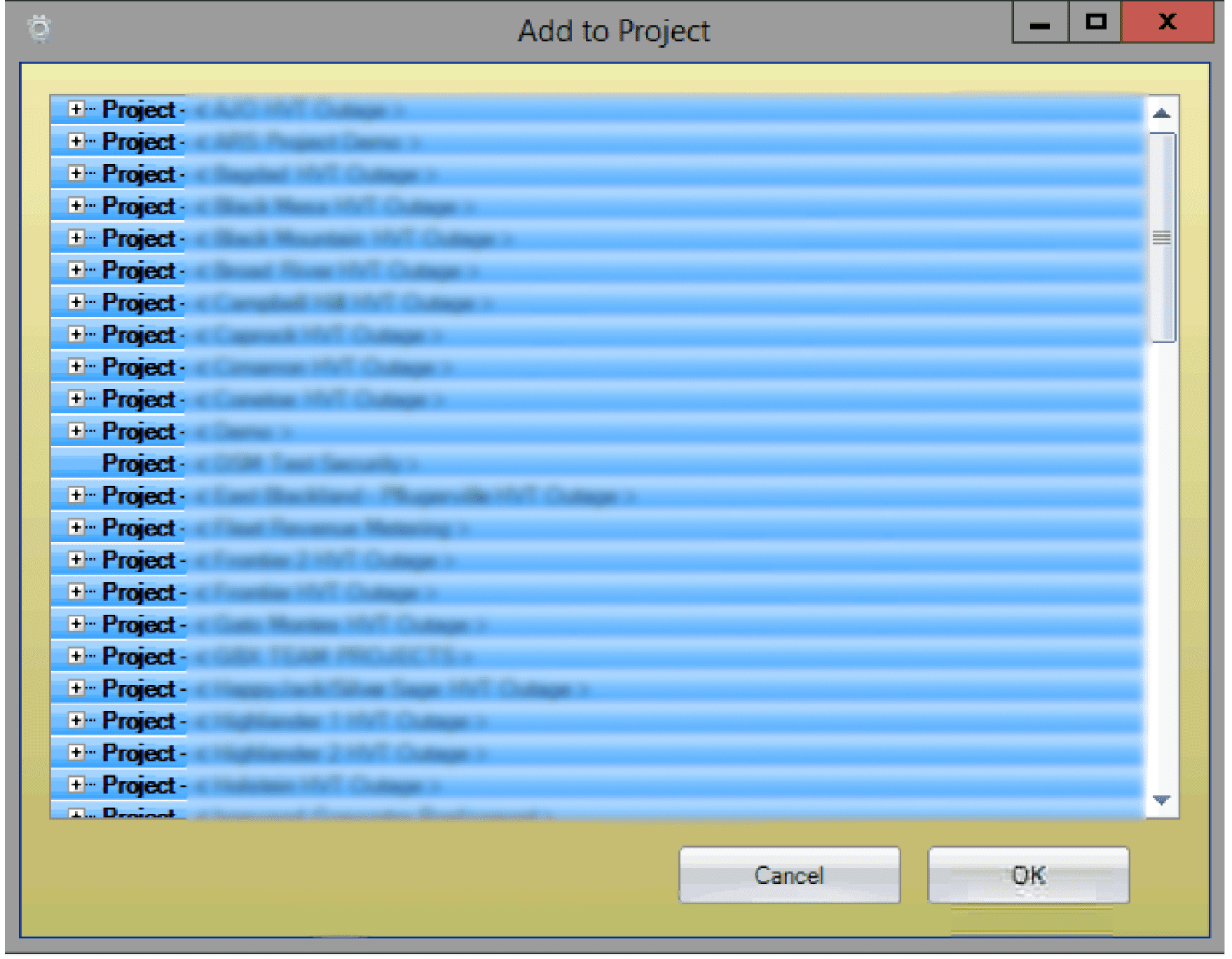
- The Project Select dialog box opens. Select the target project from the list.
- Click OK to add the job to the project.
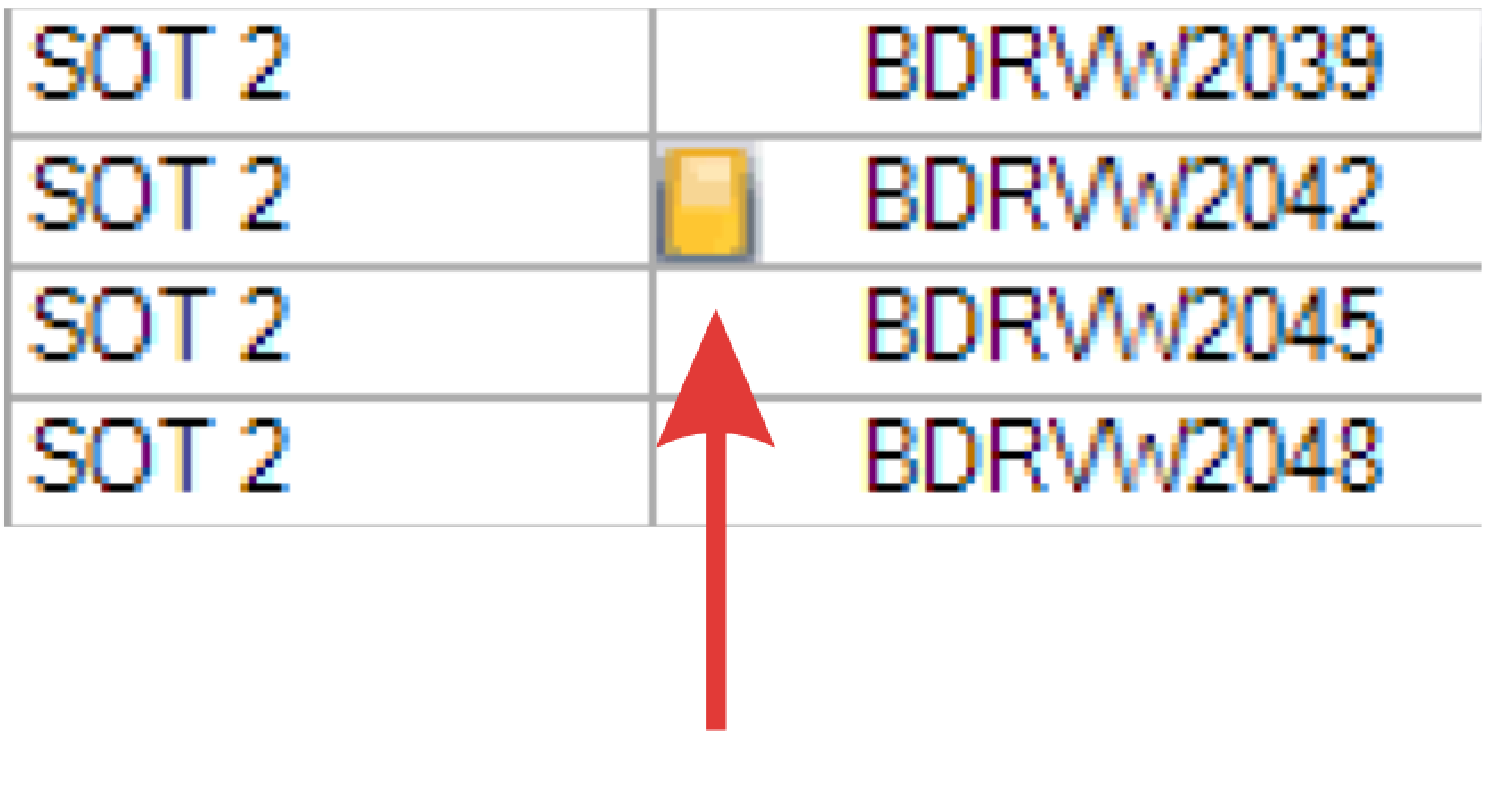
- PaSTA indicates the job is linked to a project by displaying a yellow indicator on the left side of the Order # cell.