Sort backlog data so the most relevant jobs are easier to review. The backlog can be sorted directly from column headers or by using the Sort dialog to define multiple levels of sorting.
- Click any column header to sort by that column.
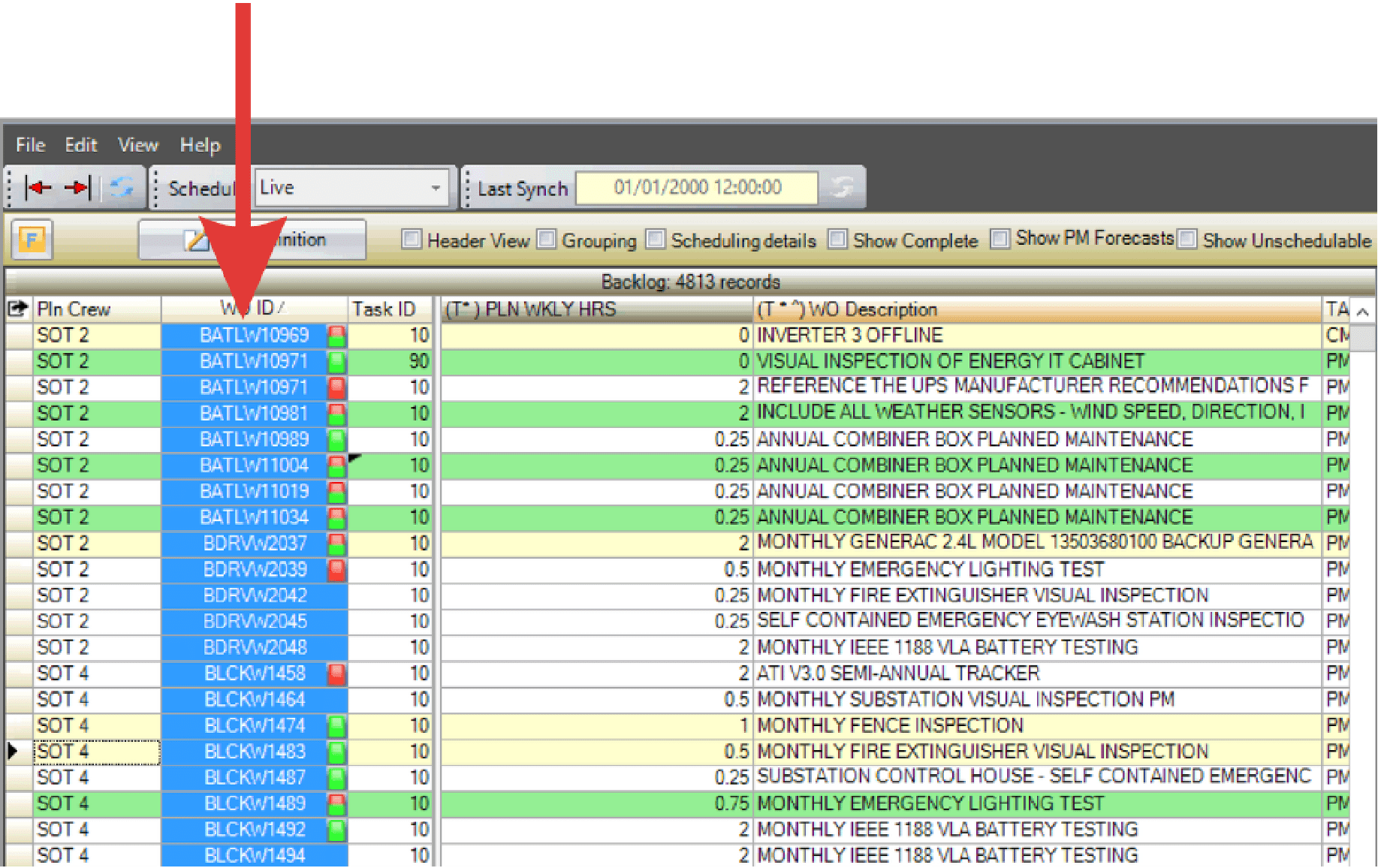
- One click sorts in ascending order.
- A second click sorts in descending order.
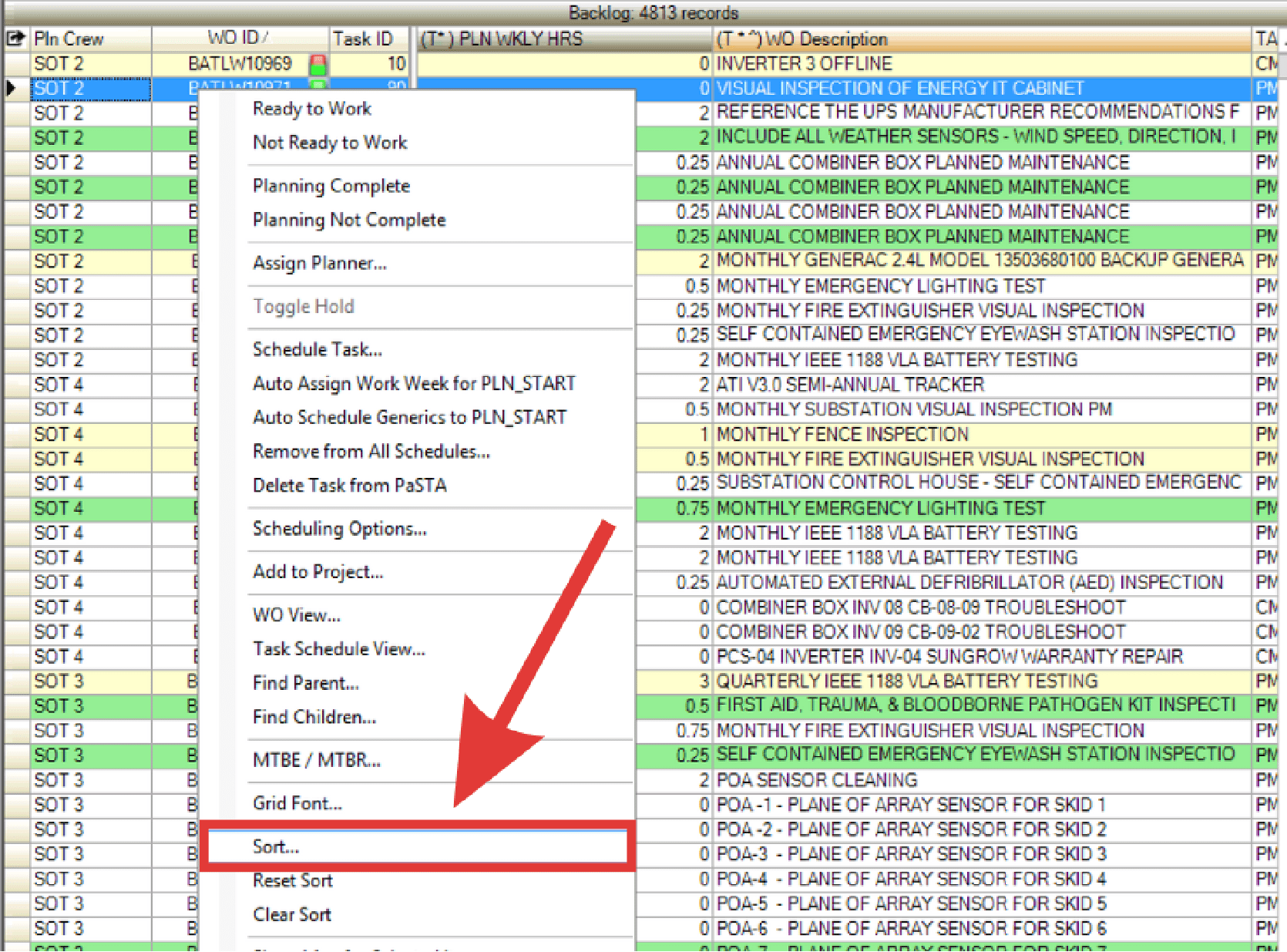
- Alternatively, right-click anywhere in the grid and select Sort.
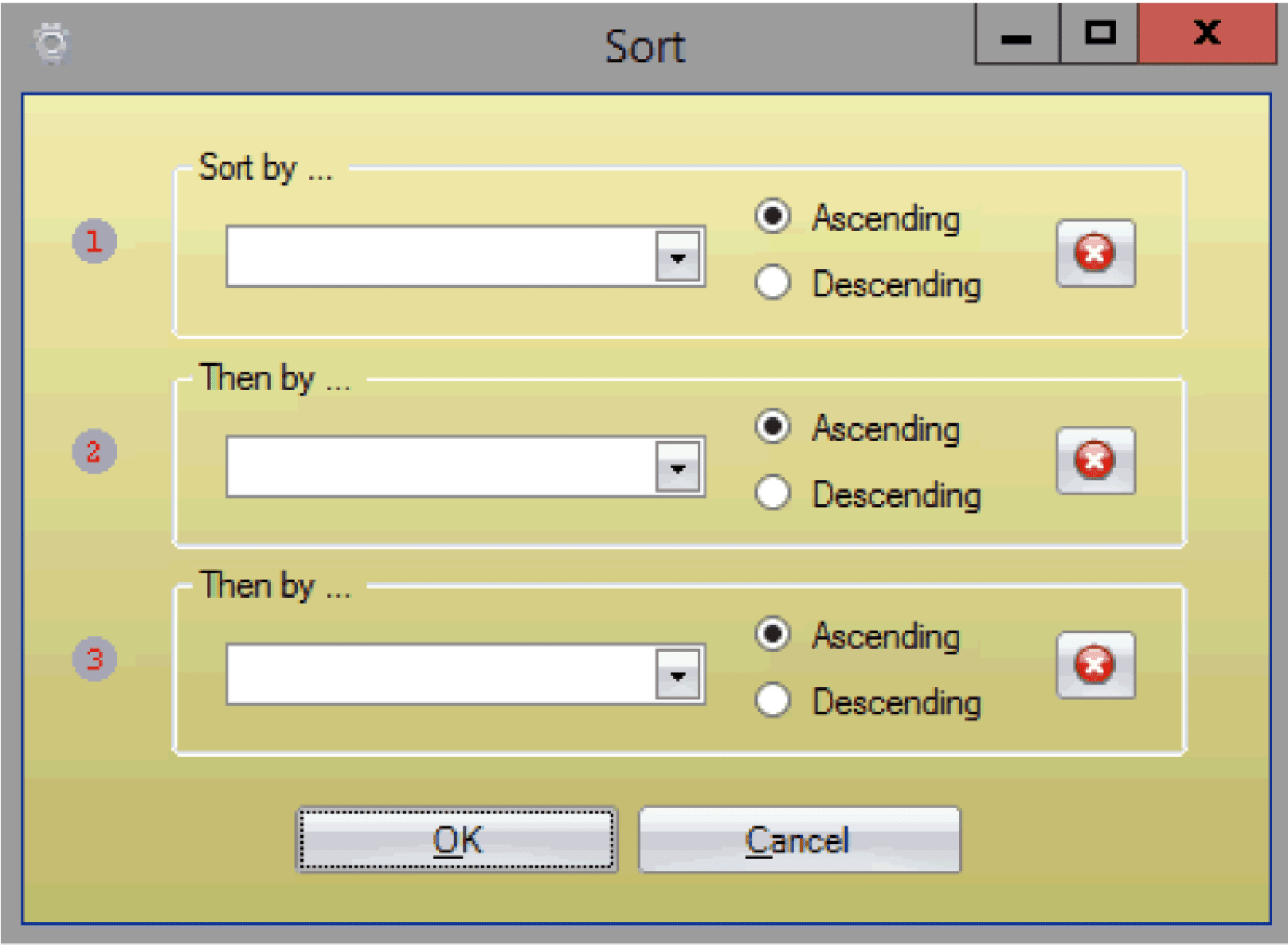
- The Sort Dialogue box appears. Choose up to three fields to sort by.
- For each field, select Ascending or Descending.
- Click OK to save the sort.
- PaSTA displays the sort order with numbered icons on the column headers.
- To reset the sort, right-click in the grid and select Reset Sort.