Overview
Admins can control which crews each user can view and schedule by configuring crew-level access settings. When enabled, users will only see and be able to schedule work for the crews assigned to them.
Configuration:
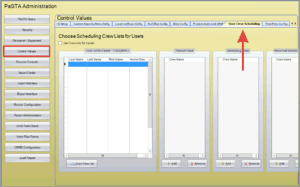
- Navigate to Administration > Control Values > User Crew Scheduling
- Under User List for Center, select the user whose crew access you want to configure.
- Use the Add or Remove buttons to assign or remove crews the user can schedule for.
- Planned Crews: WWA Backlog.
- Scheduling Crews: WWA Sched, WWS, etc.
- Personnel Scheduling Crews: The Crews in the Resource Palette.