
Note: CICS use cases are based on real client implementations and are shown for reference. Each CIC can be fully customized to align with your organization’s workflow and CMMS terminology. In this example, the client integrates with SAP.
Overview
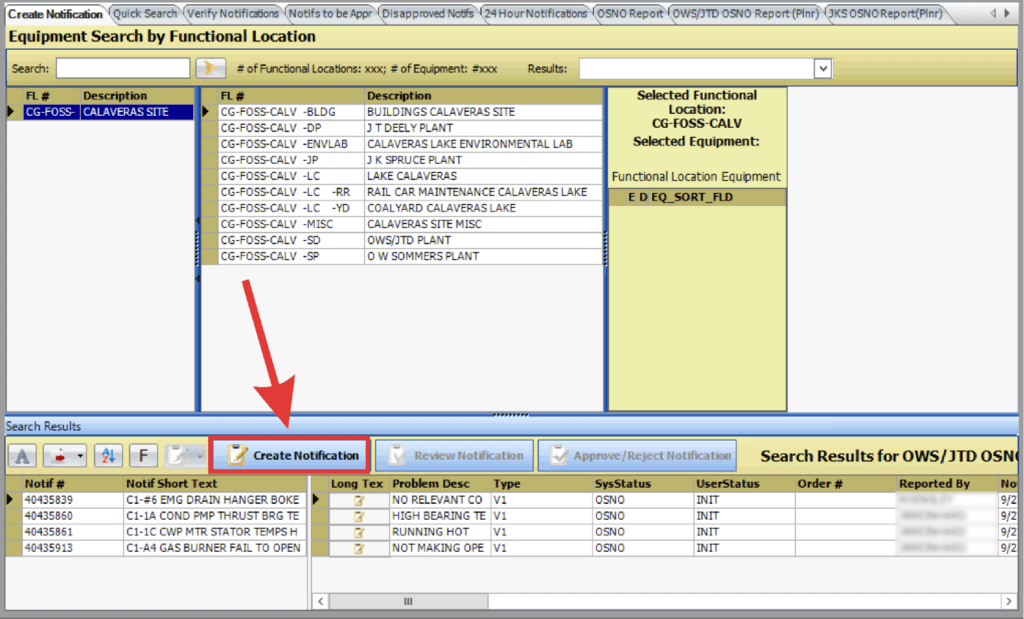
In this example the client implemented a CIC that allows users to create equipment notifications through a guided, structured interface within PaSTA.
From the Notifications screen, users can search for functional location and equipment, review existing records, and launch the Create Notification workflow directly from the same environment.
Guided, Structured Entry
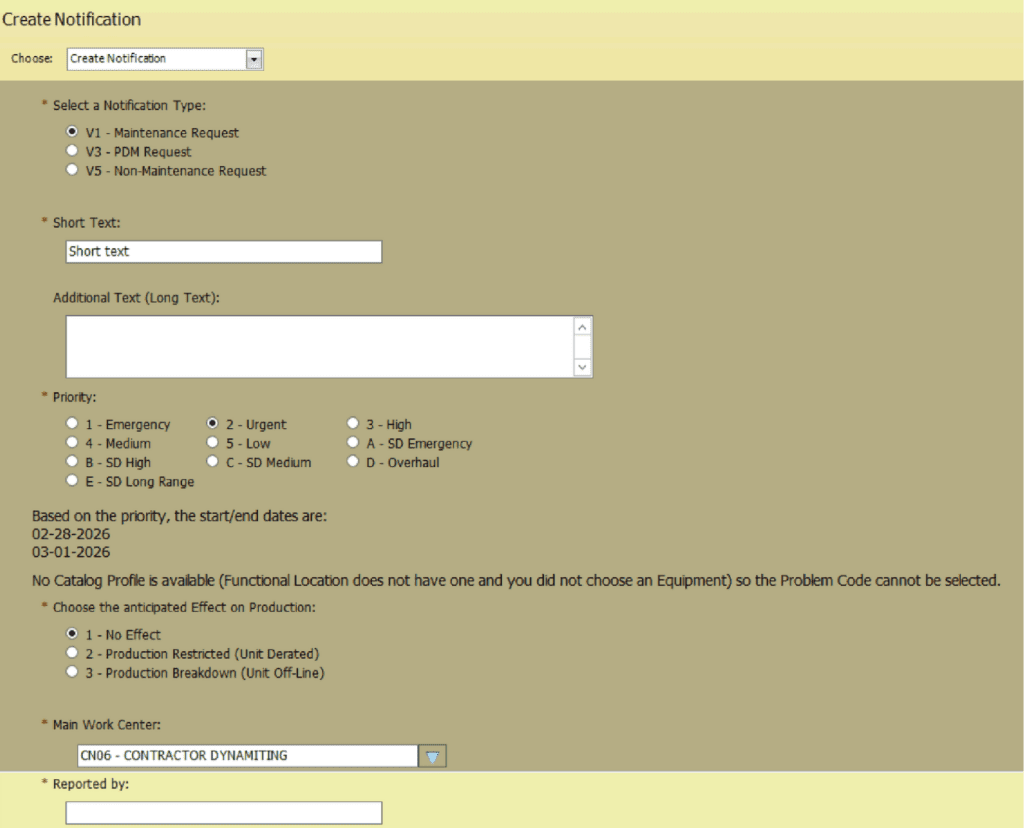
This CIC streamlines notification creation by consolidating all required inputs into one controlled interface. Users can:
- Select applicable functional location and equipment number.
- Select the appropriate notification type (e.g., maintenance request or PdM request).
- Enter a clear problem description with optional long-text detail.
- Assign priority based on severity.
- Choose standardized problem codes.
- Identify anticipated impact on production.
- Verify or adjust work center and reporting details.
Built-In Validation and Visibility
When equipment is selected, previously created notifications tied to that asset are displayed to help prevent duplication. Reference data is automatically populated, reducing manual entry while maintaining accuracy.
All information is submitted directly to the CMMS in real time.