
PaSTA Release Notes
How do I know what build I’m on?
To check your build number, log in to PaSTA and look at the bottom-right corner of the home page — the last three digits are your build.
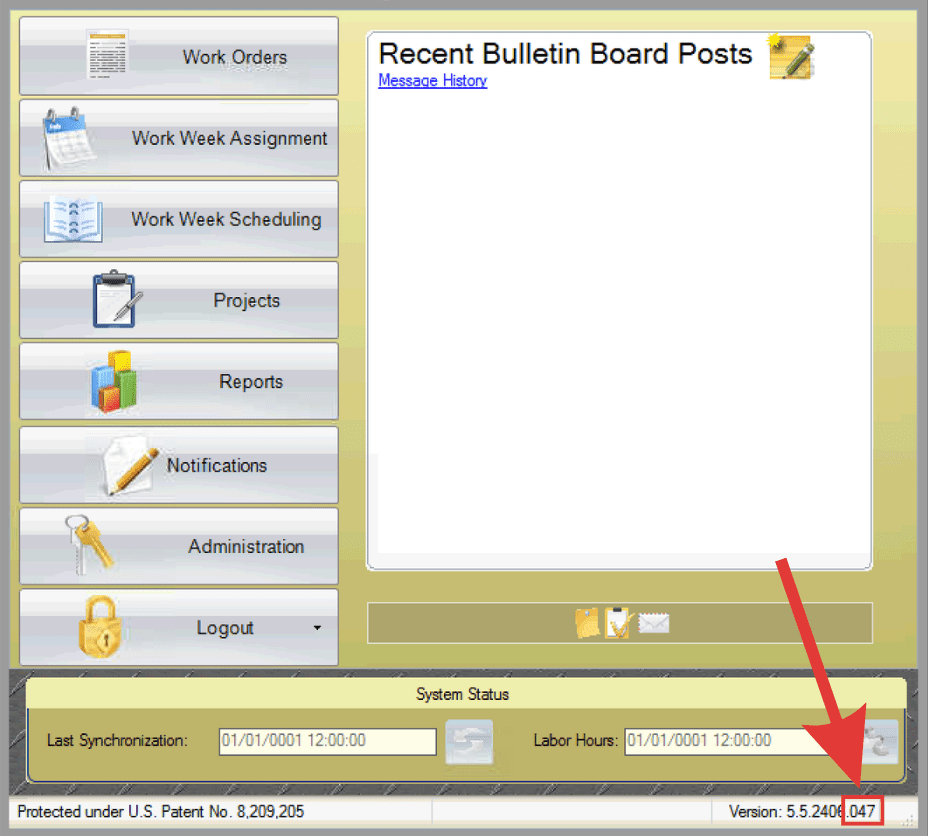
How do I know what version I’m on?
To check your version number, log in to PaSTA and look at the bottom-right corner of the home page — the first six digits are your version number.
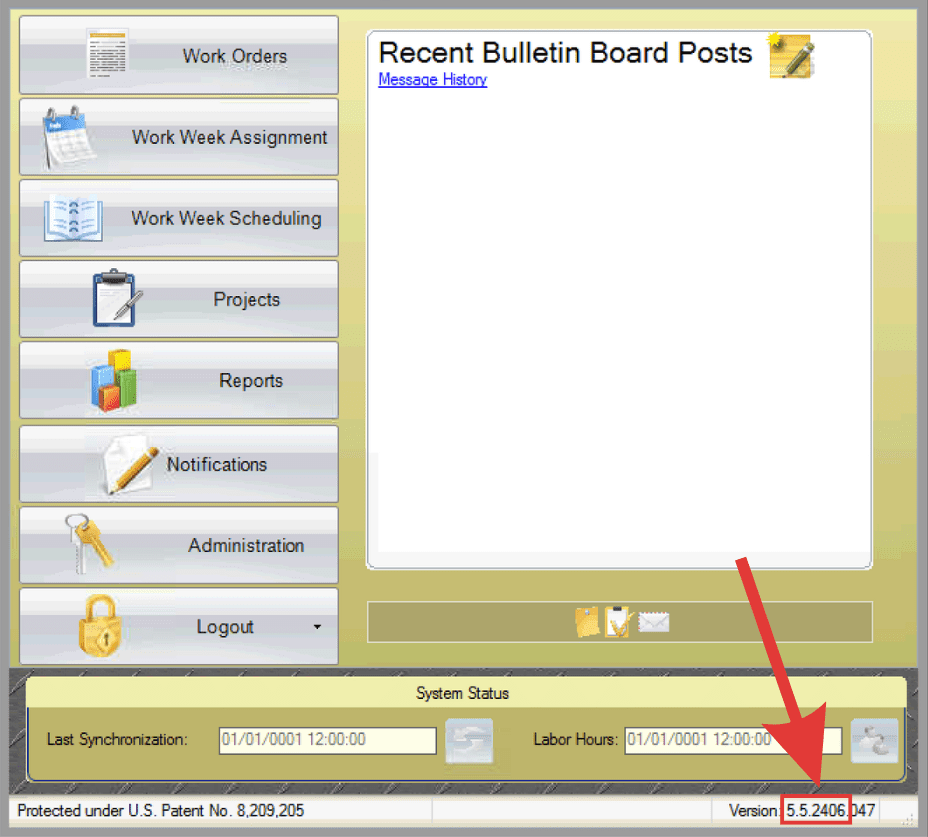
Note: Release notes may vary by customer configuration and software build. Some updates may not apply to your environment.
-
New Reporting Metrics
June 4, 2025Enhancement
v. 5.5.2406
Build 36
Two new reporting metrics have been added in Reports: %CompletePln (%) and Comp Plan Hrs (#). These metrics provide additional visibility into planning progress and completed planned hours.
-
Go To Column Indicator
June 4, 2025Enhancement
v. 5.5.2406
Build 36
A new Go To Column indicator has been added to WWA/WWS grids, making it easier to quickly locate specific columns.
-
Lock Milestones and Relationship Slack in Projects
June 4, 2025New Feature
v. 5.5.2406
Build 36
Two new project scheduling controls have been added. Users can now lock relationship slack between related work orders and lock milestones to prevent them from being moved unintentionally.
-
Multiple Scheduled Crew Indicator
June 4, 2025New Feature
v. 5.5.2406
Build 36
A new indicator helps users quickly identify tasks or work orders that are scheduled to multiple crews in the T-Week grid.
-
Crew-Level Viewing / Scheduling
July 11, 2024New Feature
v. 5.5.2406
Build 1
Admins can control which crews each user can view and schedule by configuring crew-level access settings. When enabled, users will only see and be able to schedule work for the crews assigned to them.
-
Named Grid Layouts
July 11, 2024New Feature
v. 5.5.2406
Build 1
Users can now customize their grid layout by rearranging columns, adjusting font size, hiding panels, and modifying the overall view to fit their workflow. These custom layouts can be saved and reused, allowing users to quickly switch between preferred views each time they open PaSTA.